A small team does not need a project management suite, but it does need one place that shows what is open. In Canvos that is the Tasks module: a list for those who like lists, a kanban board for those who prefer to drag, and tasks you assign to a colleague that then appear in their list. Tasks live on your own workplace and speak the open CalDAV standard, so they synchronise with your phone too.
Step by stepFive steps
1. The task list 2. A new task 3. Create 4. The kanban board 5. What is done
The task list
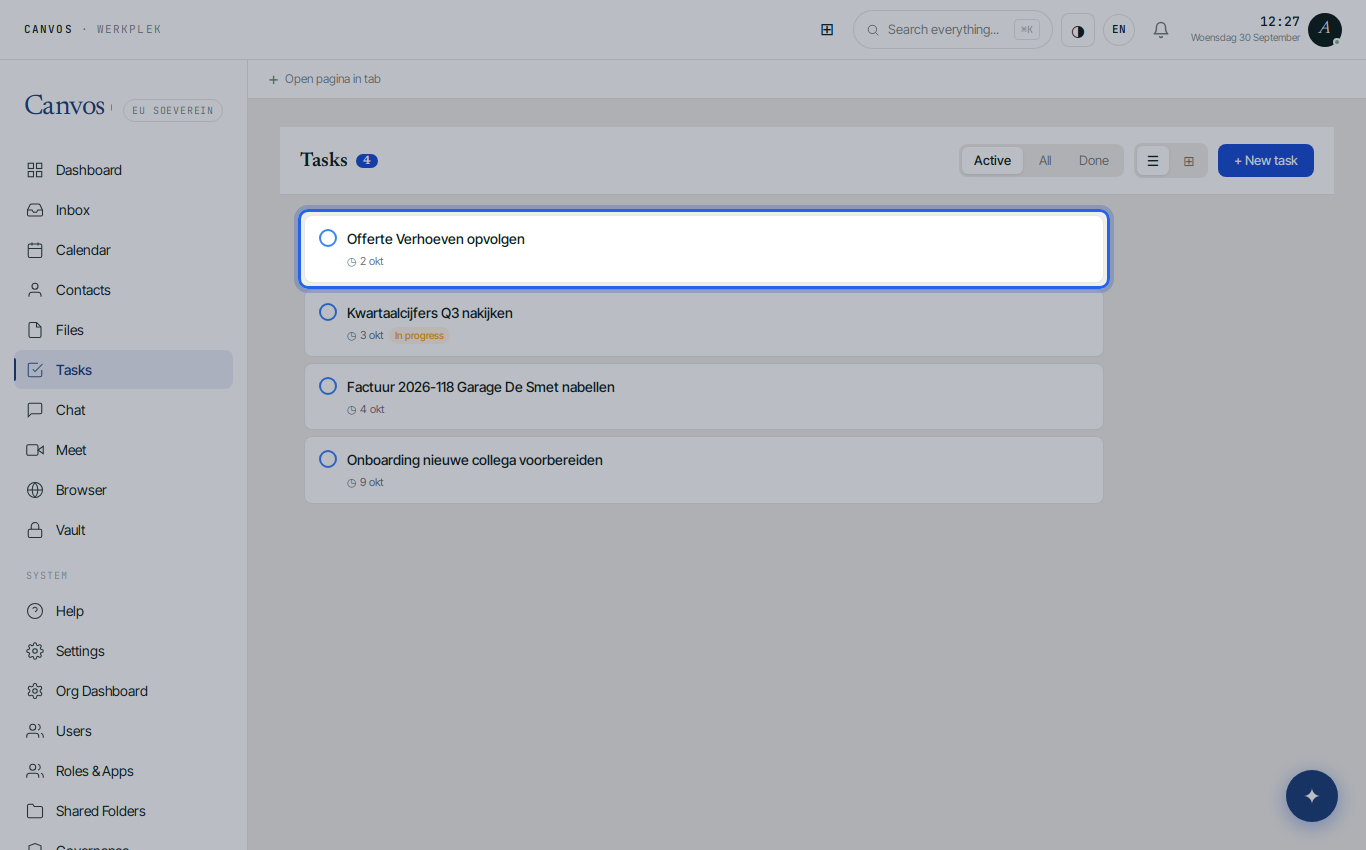
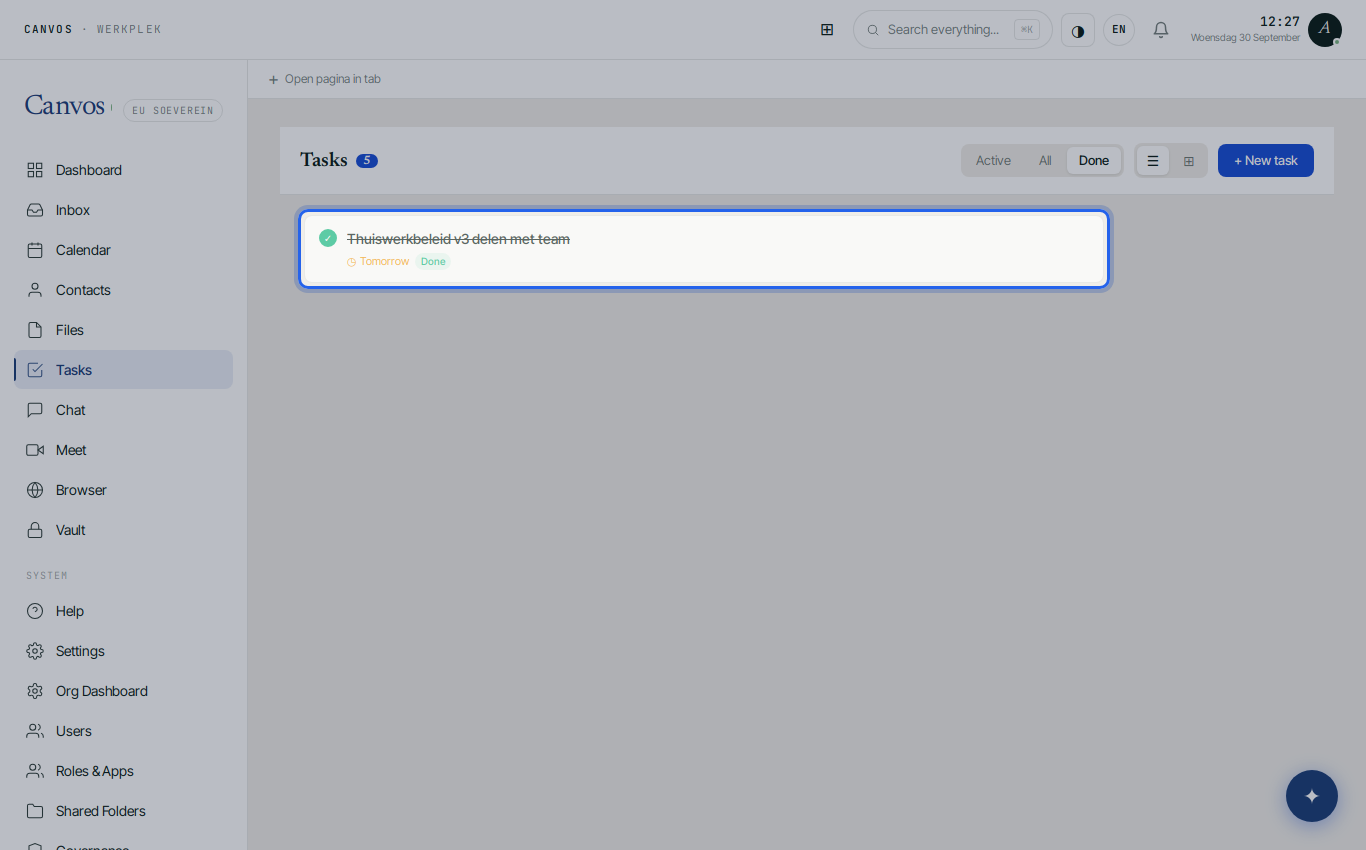
Click Tasks in the sidebar. You see what is open, with due date and status; the number next to the title counts the active tasks. At the top you choose Active, All or Done, and switch between list and board.
A new task
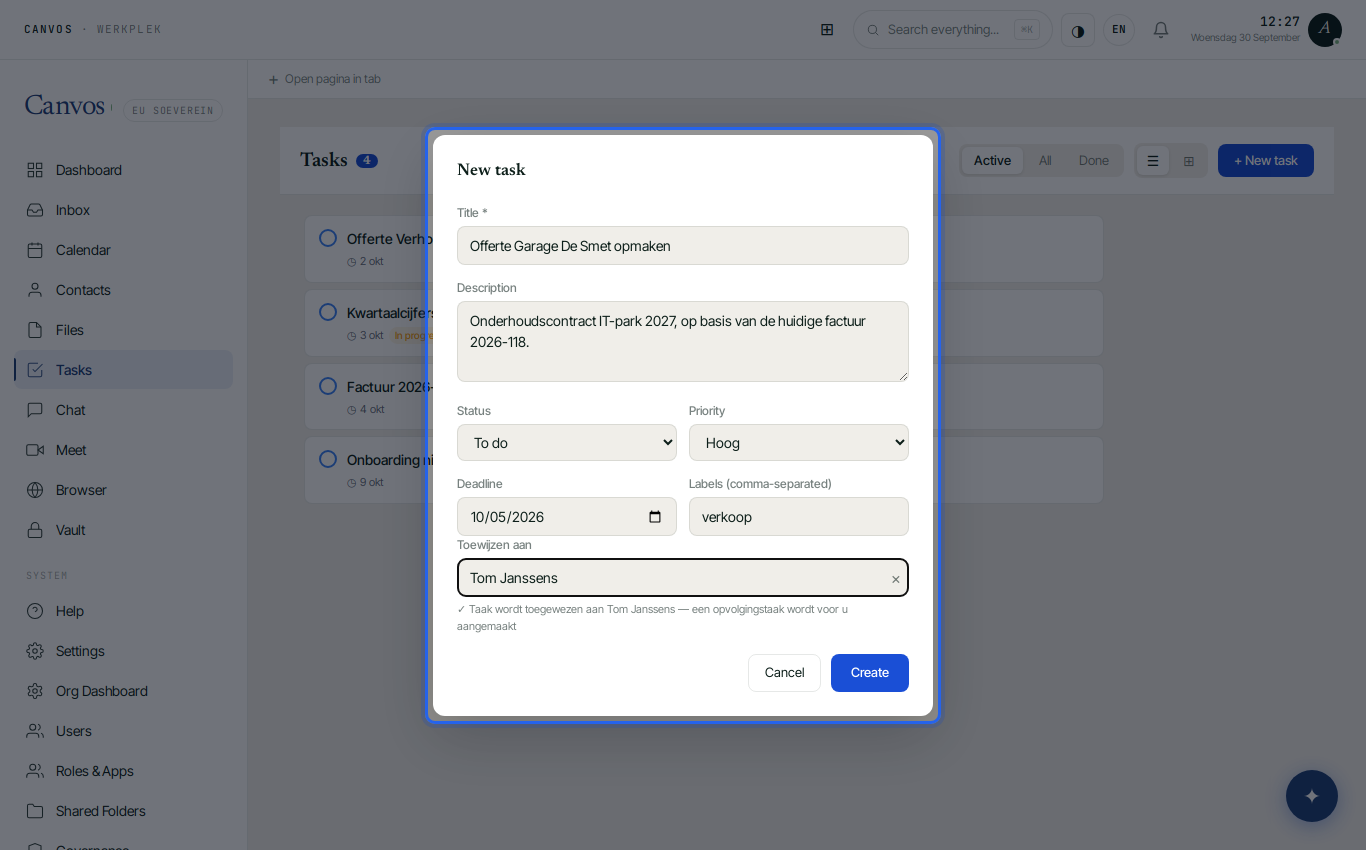
Click + New task. Give a title and optionally details, choose a status and a priority (Urgent, High, Normal, Low), a deadline and one or more labels such as sales or project. Under Assign to type a colleague's name; leaving it empty means the task is yours.
Create
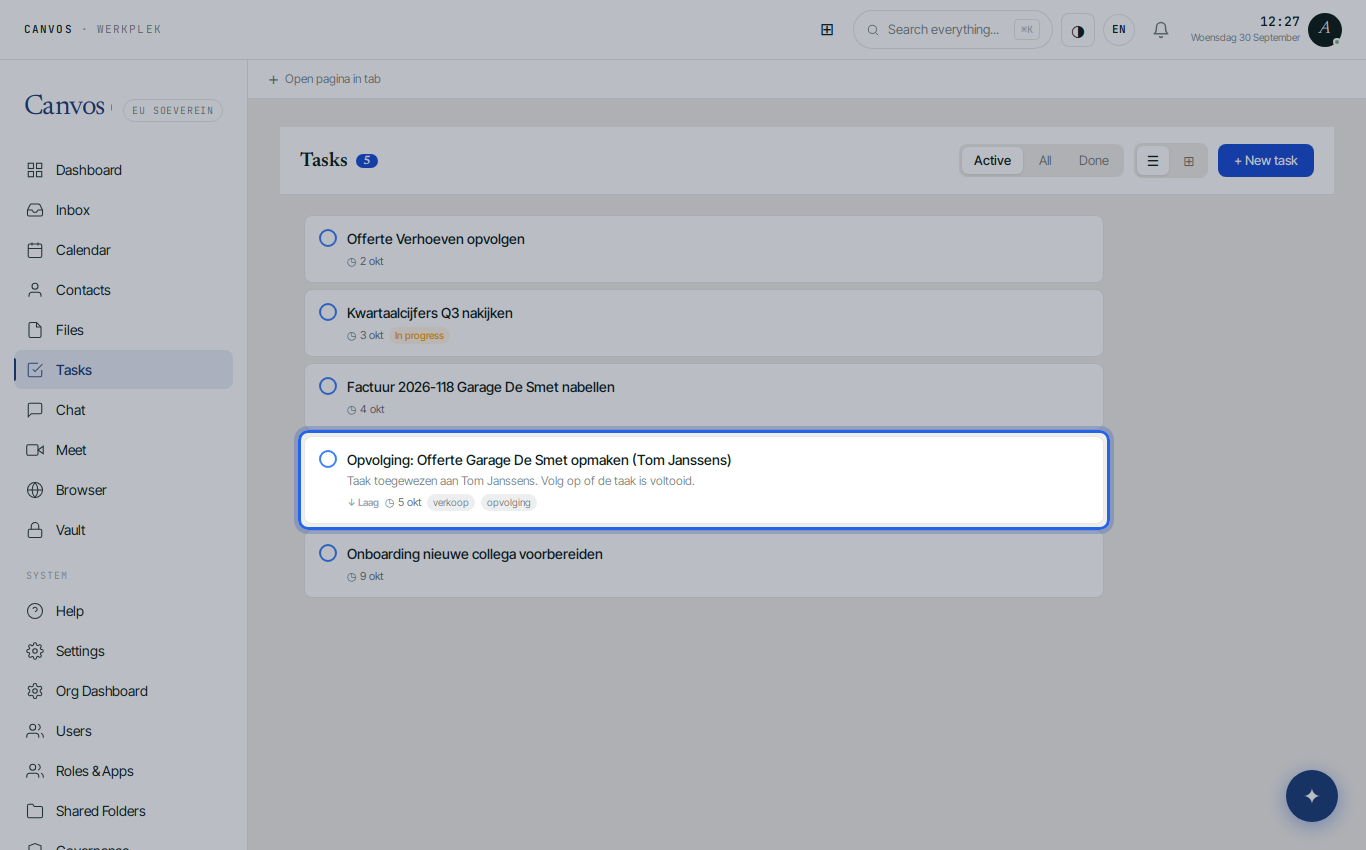
Click Create. The task is in the list immediately, and for a colleague also in their list and phone. The cross deletes a task; clicking the circle ticks it off.
The kanban board
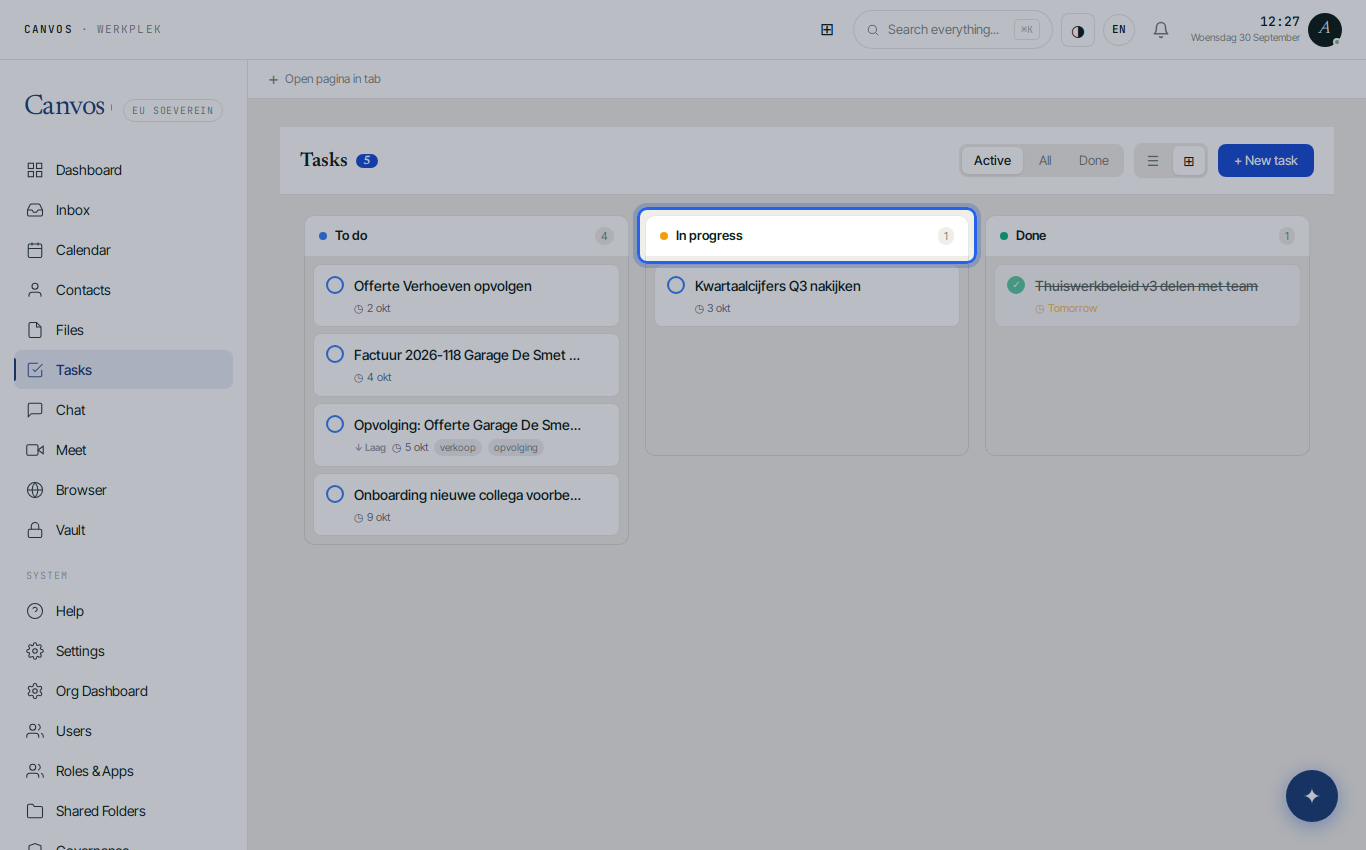
Click the board icon (⊞). The same tasks now sit in columns To do, In progress and Done. Dragging changes the status. Handy for a weekly kick-off with the team on one screen.
What is done
Choose Done at the top to see finished work. Nothing disappears; what is done stays retrievable, also for an overview at the end of the week.
FAQFrequently asked questions
Do I see the tasks on my phone as well?
Yes. Tasks speak CalDAV. Connect your Canvos account on iOS (Reminders) or Android (DAVx⁵ with a tasks app such as Tasks.org), as described in the calendar synchronisation guide.
Can I give a task to several people?
A task has one owner, so it is always clear who completes it. For shared work create several tasks or use a label to group them.
Does a colleague get a notification when assigned?
The task appears in the colleague's list and phone. To announce it explicitly, send a chat message or mention it in the team meeting.
Is there a link with email?
From an opened mail you can create an appointment with Add to calendar; creating a task from a mail is planned.