An accounting firm handles the most sensitive data there is: payslips, account numbers, national register numbers, annual accounts. At the same time everything must be kept for years and be retrievable at any moment, for the client, for the tax office, for an audit. In this guide we follow Demo BV, a small firm with An as owner, Tom and Lies as employees, and clients such as Bakkerij Verhoeven and Garage De Smet. No theory: every screen below comes from their workplace. Note: the administration screens are currently shown in Dutch; the captions translate every step.
Step by stepEight moments from a working day
1. A company folder per client 2. Files per client in Files 3. The Client file label keeps files inside 4. Sharing a payslip? Blocked 5. And it is in the log 6. Email kept for seven years 7. A shared mailbox for bookkeeping 8. The compliance score for the auditor
A company folder per client
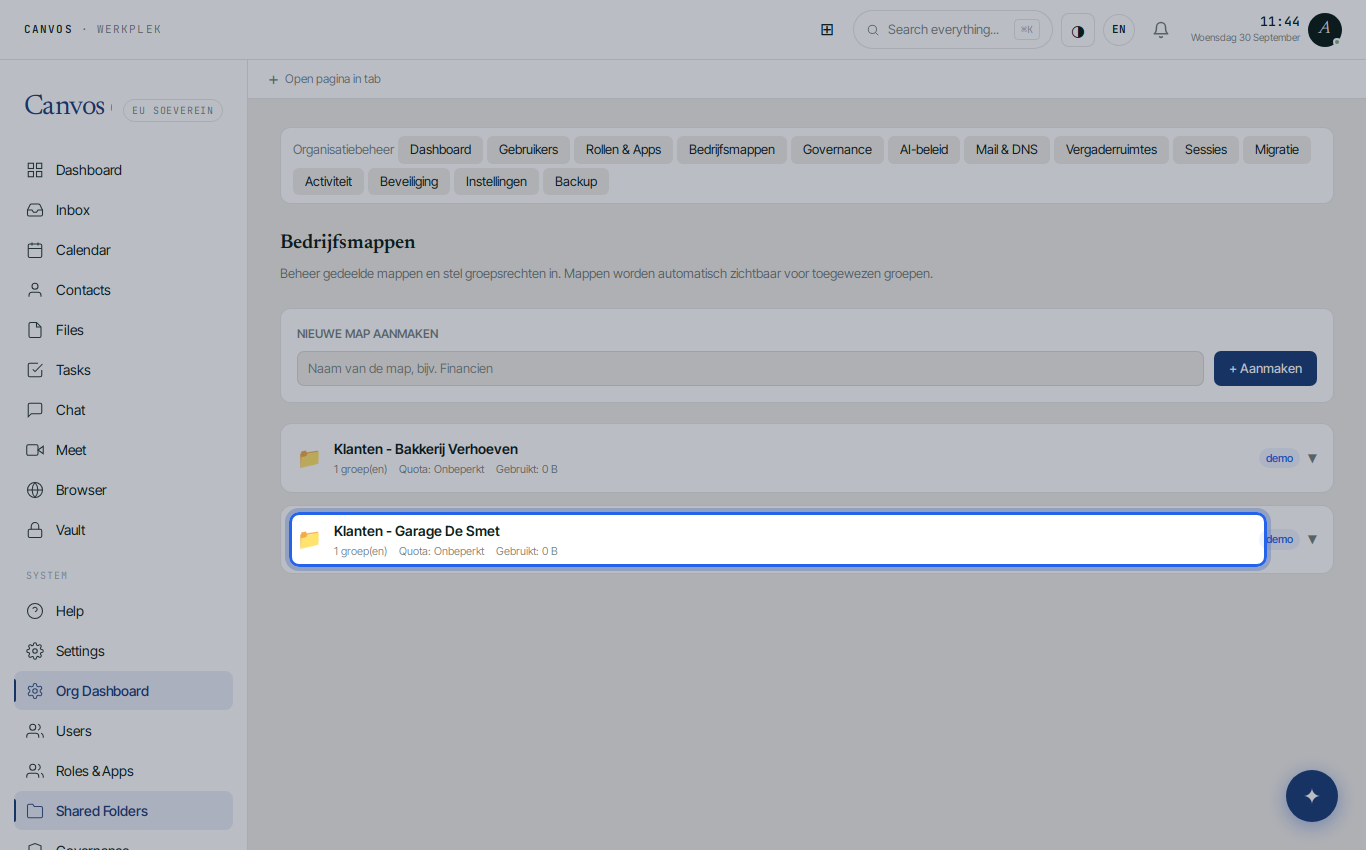
Under Bedrijfsmappen (company folders) An creates a folder for every client, for example Klanten - Garage De Smet. A company folder belongs to the organisation, not to a person: the whole team sees the same files, with rights per group (read, write, create, delete, share). If an employee leaves, the file does not leave with them.
Files per client in Files
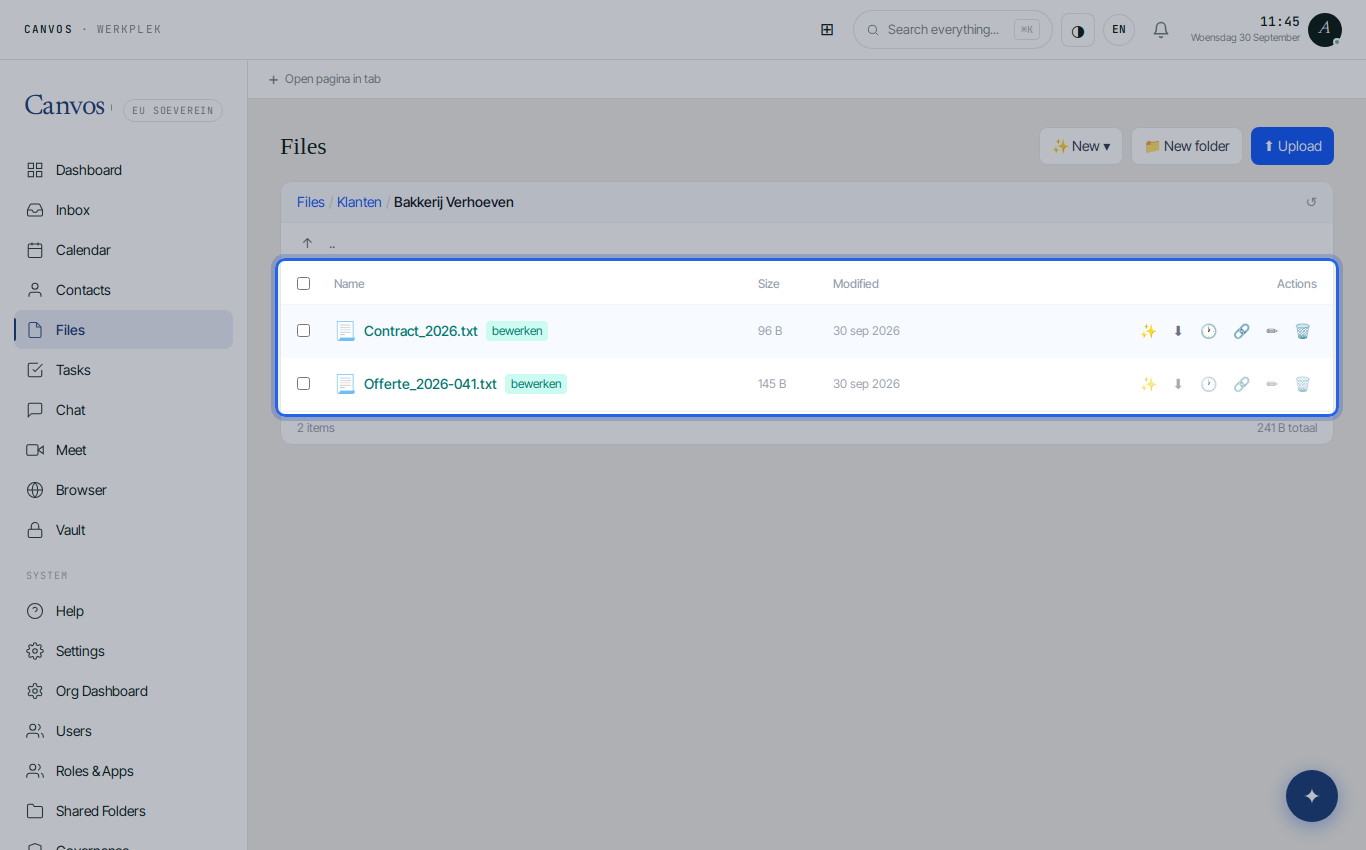
In Files the clients sit neatly side by side, each with its quotes, contracts and invoices. Everyone works in the same structure, and version history records every change. Open files in Canvos itself or through the desktop client in the familiar programs.
The Client file label keeps files inside
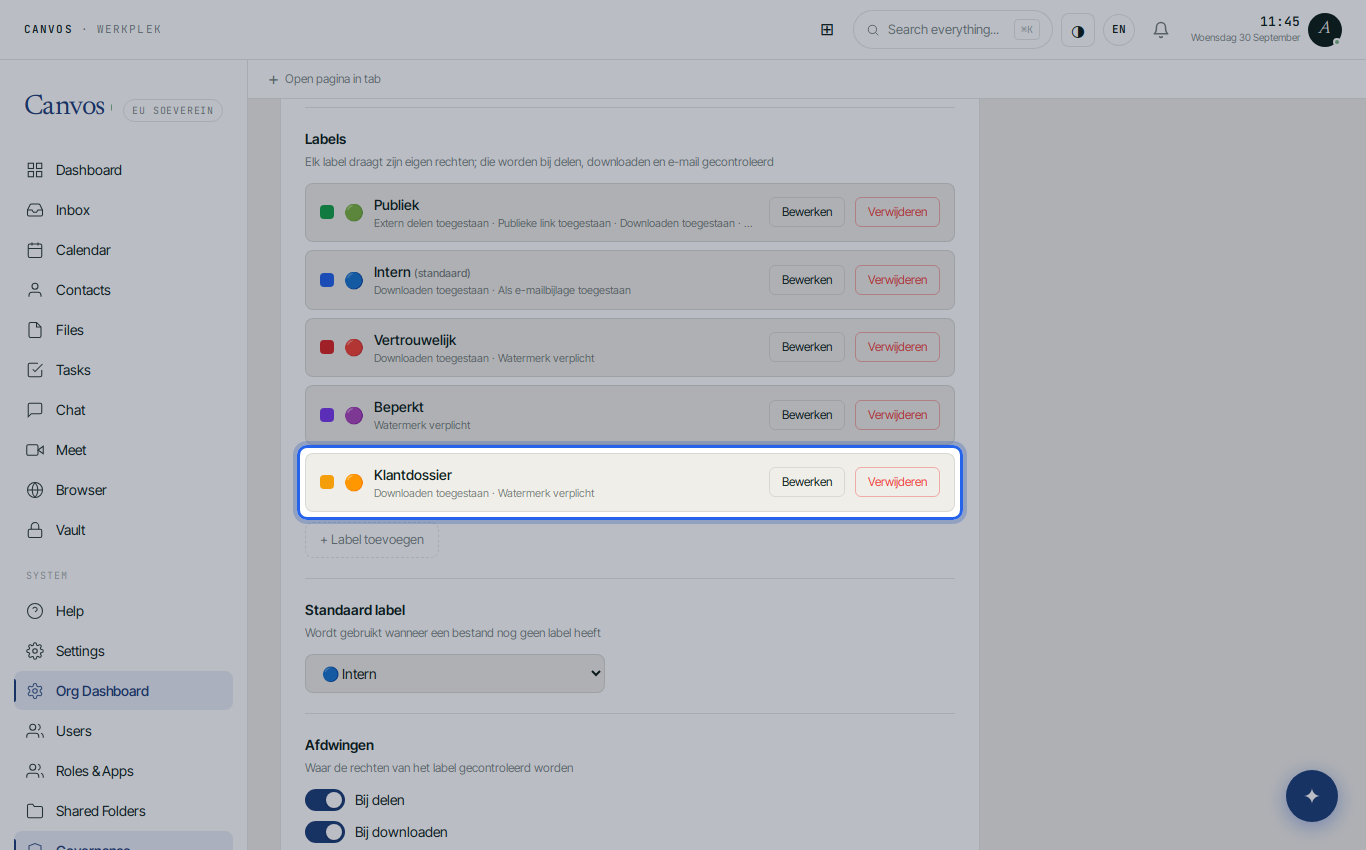
In the Governance Center An created a label 🟠 Klantdossier (client file): no external sharing, no public link, download allowed, always with a watermark. Everything without a label falls under Intern (internal). Nobody has to think about what may happen to a file: the label knows.
Sharing a payslip? Blocked
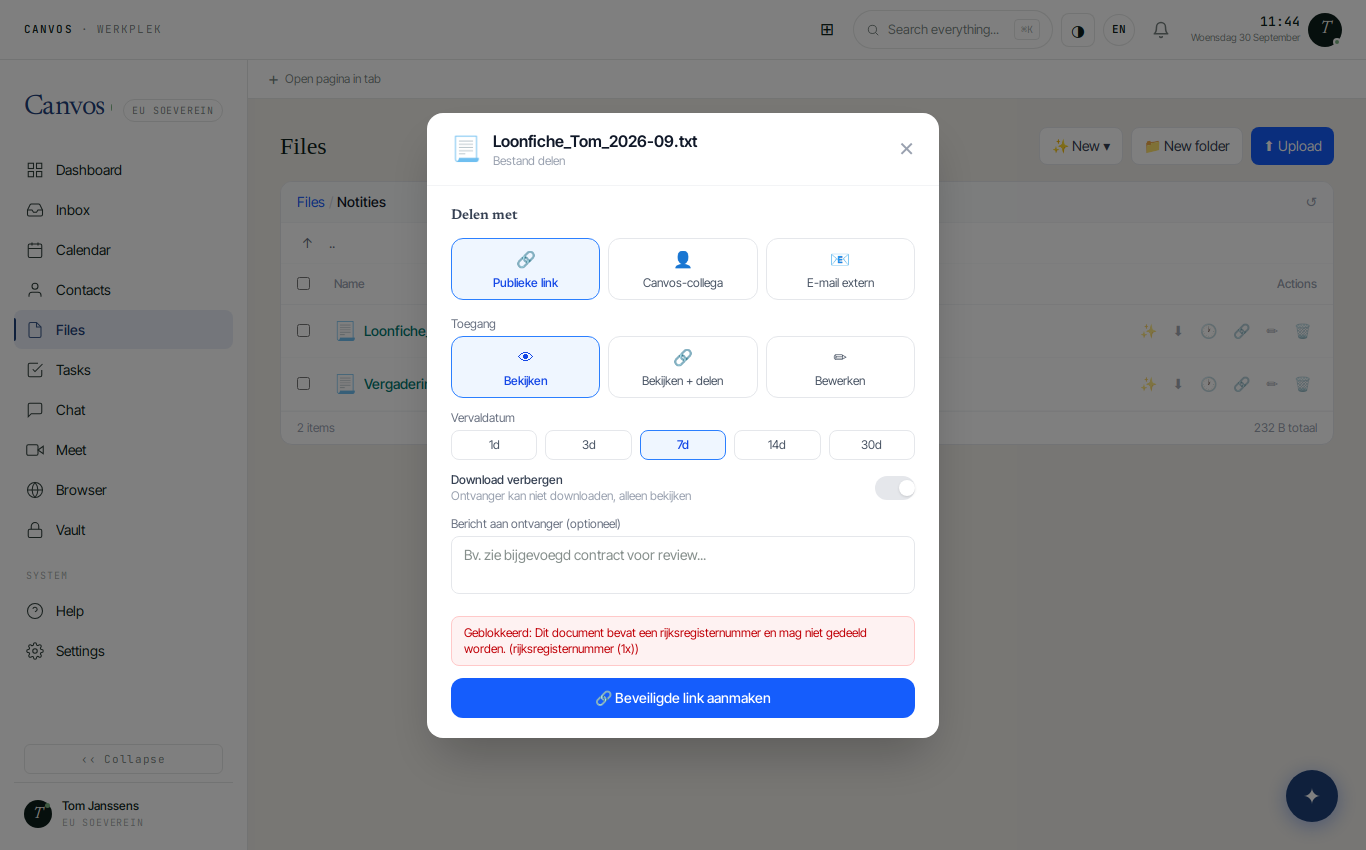
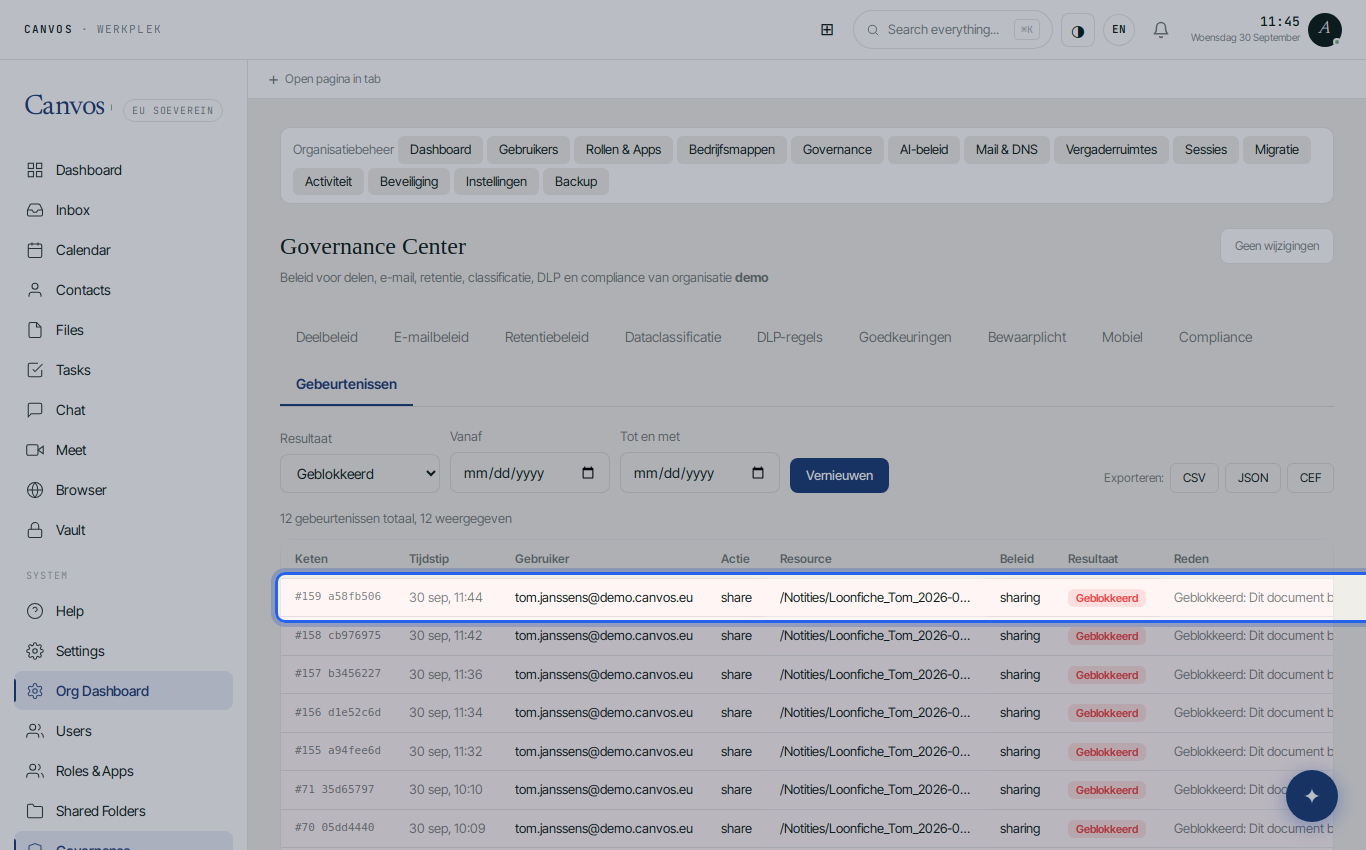
Tom wants to quickly send a payslip to a client by link. The DLP rule on national register numbers steps in: Geblokkeerd: Dit document bevat een rijksregisternummer en mag niet gedeeld worden (blocked: this document contains a national register number and must not be shared). No data breach, no notification to the data protection authority, no conversation afterwards.
And it is in the log
Under Gebeurtenissen (events), filtered on blocked, An sees exactly what happened: who, when, which file, which rule. With a sequence number and hash in the evidence chain, exportable as CSV for whoever wants to check.
Email kept for seven years
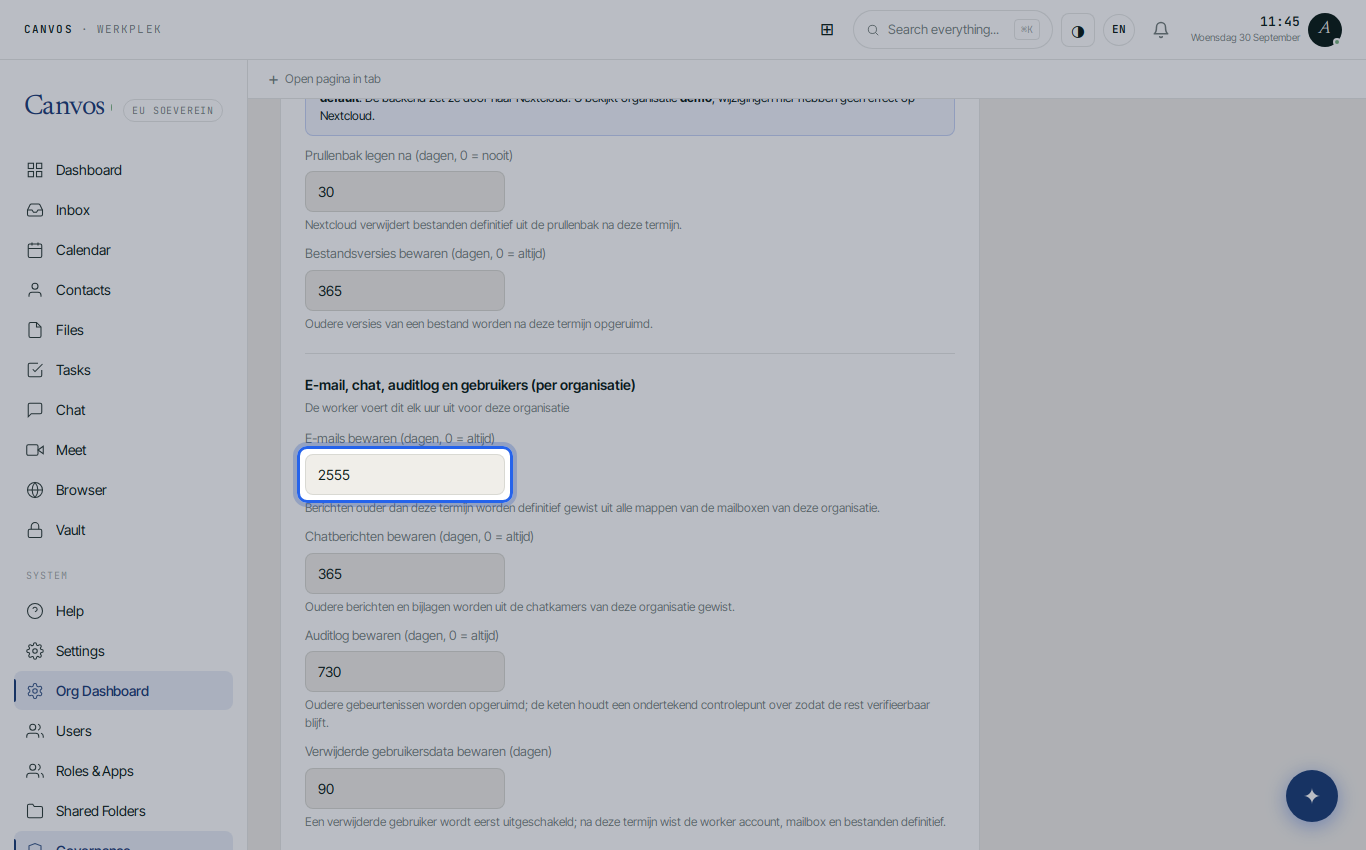
The Retention policy is set to 2555 days for email: seven years, as accounting retention requires. The worker applies it every hour. If a dispute arises, An places a legal hold that temporarily bypasses retention.
A shared mailbox for bookkeeping
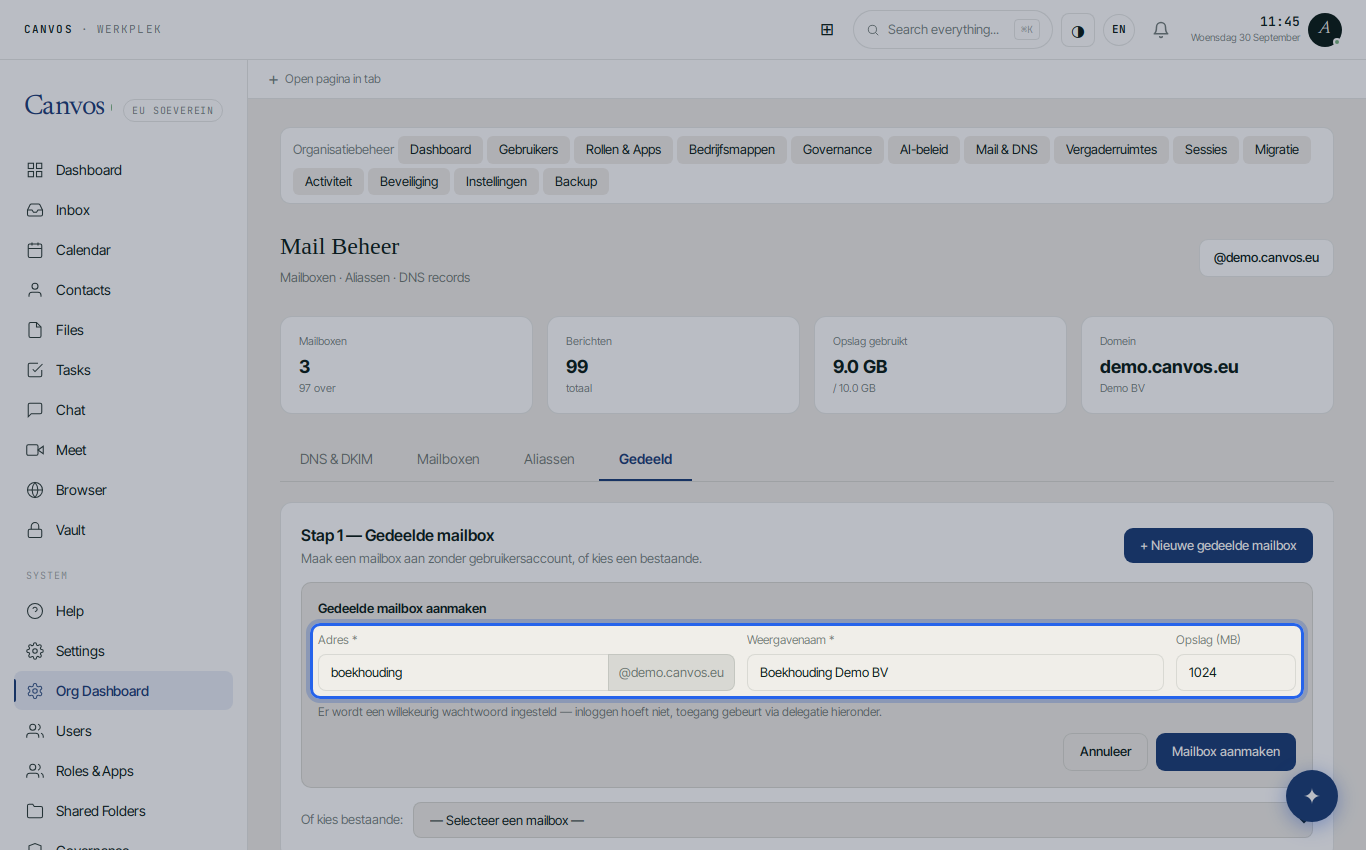
Under Mail & DNS, tab Gedeeld (shared), An creates boekhouding@demo.canvos.eu: a mailbox without its own user account, in which Tom and Lies work through delegation. Invoices and client questions arrive in one place, whoever is on leave.
The compliance score for the auditor
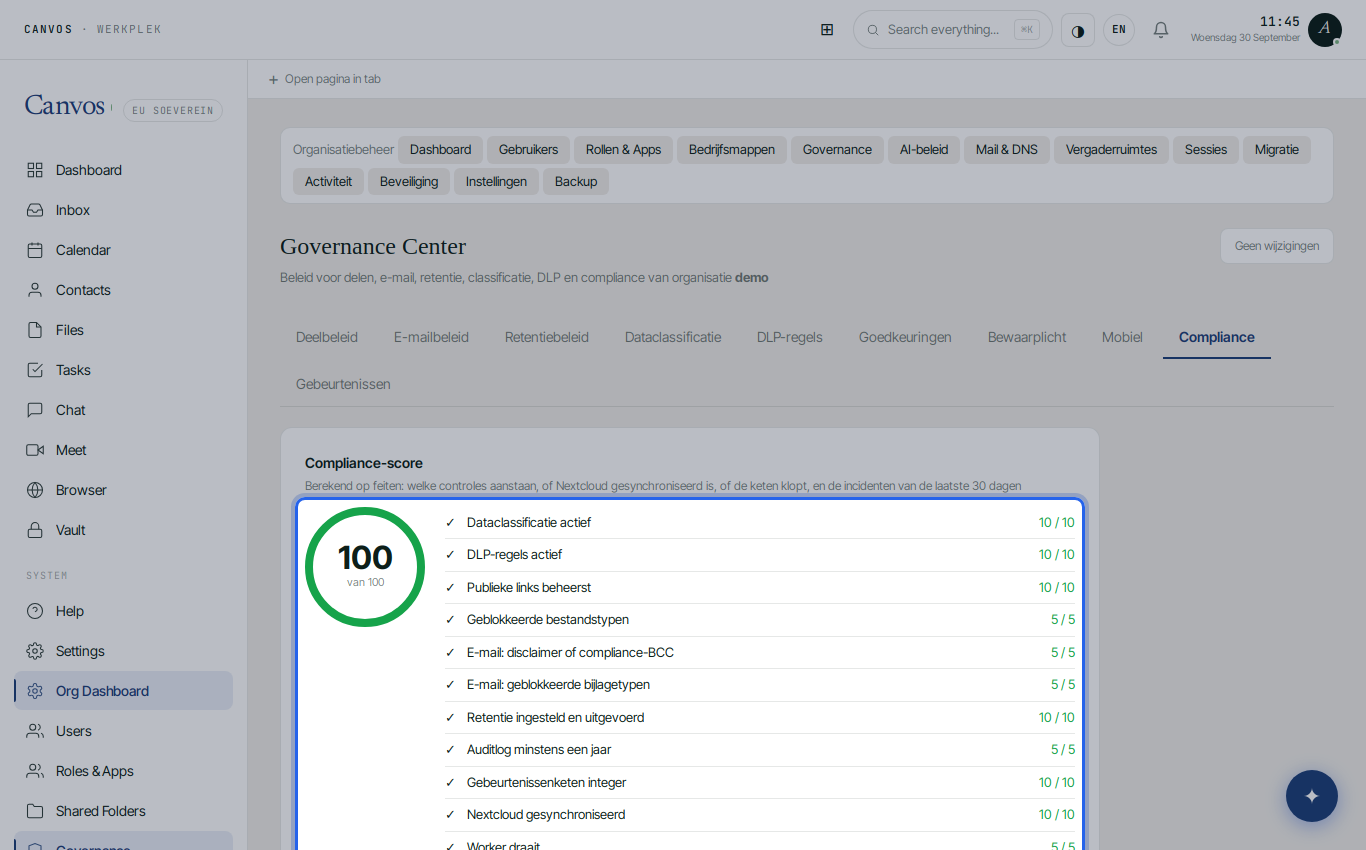
Finally the Compliance tab: the score out of 100, computed from what is switched on (DLP, sharing policy, retention, classification, an intact evidence chain), and one click for a PDF report on the period the auditor asks about. No more searching through folders and mailboxes: the answer is ready.
FAQFrequently asked questions
Can a client look into their own file?
Yes, through a share link with password and expiry date, within what the label allows. For a client portal with its own login you can invite a client as an external user; ask your administrator.
Does this also work with our accounting software?
Canvos does not replace your accounting software; it is the workplace around it: files, email, calendar, documents. Exports and reports from your software you simply keep in the client folder.
What about the ten-year retention duty for some documents?
Set the period that applies to you; 2555 days is an example. For documents that must stay longer, use a legal hold or a separate folder with its own period.
Can a larger firm use this too?
Yes. Company folders, groups and roles scale along; per team or office you create your own groups with their own rights, and the policy applies to the whole organisation.