The GDPR requires you not to keep personal data longer than necessary. Accounting law requires you to keep invoices and the related correspondence for seven years. Those two demands only clash if you never write them down. In Canvos you set them once as policy, per organisation, and from then on it happens by itself: old chat messages disappear, email stays exactly seven years, the trash empties itself. Here is how. Note: the Governance Center is currently shown in Dutch; the captions below translate every step.
Step by stepSeven steps
1. Open the Governance Center 2. Choose the Retention policy tab 3. Set the periods for files 4. Keep email for seven years 5. Set chat, audit log and departed employees 6. Switch on execution 7. Check the confirmation
Open the Governance Center
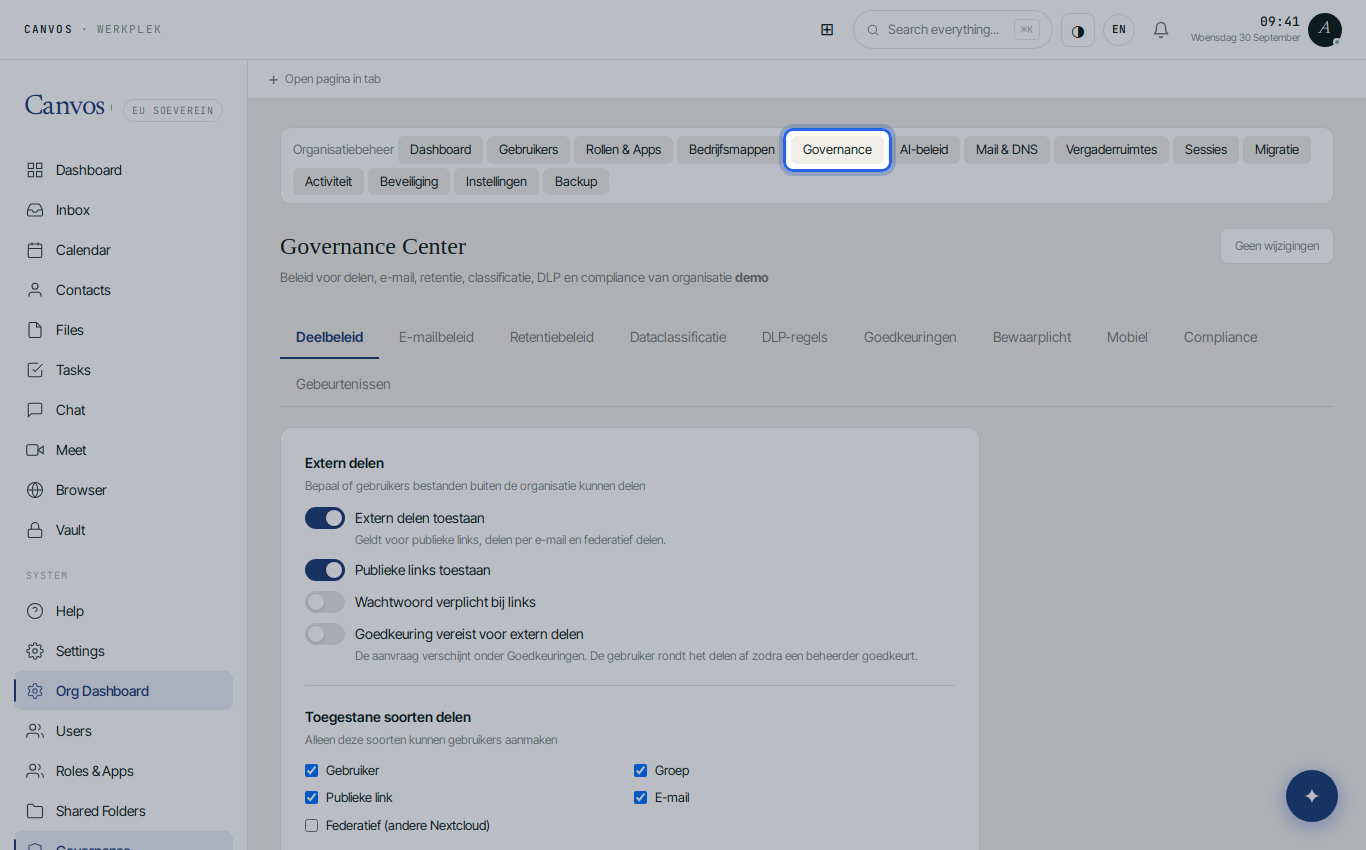
Log in as an administrator of your organisation and click Governance in the sidebar.
Choose the Retention policy tab
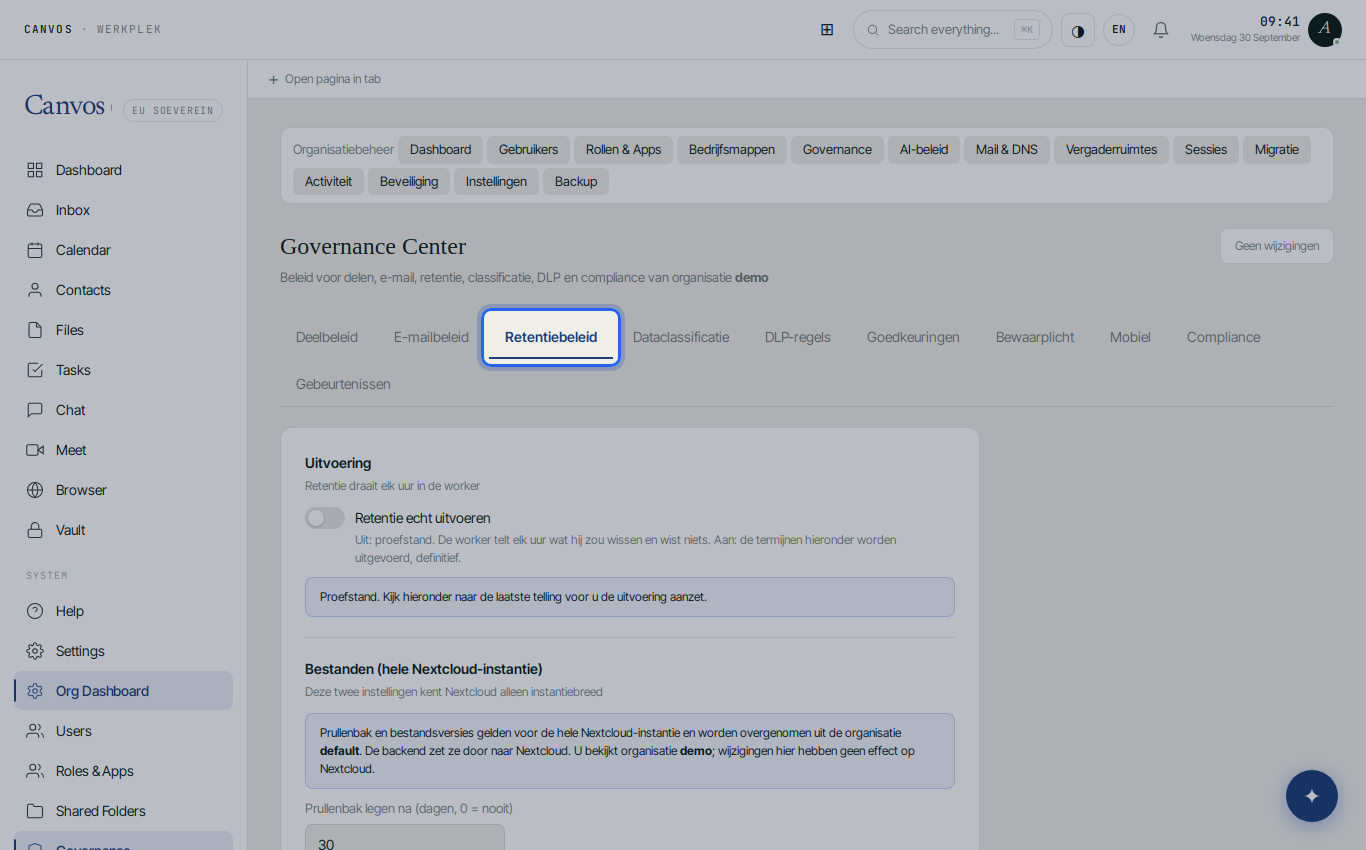
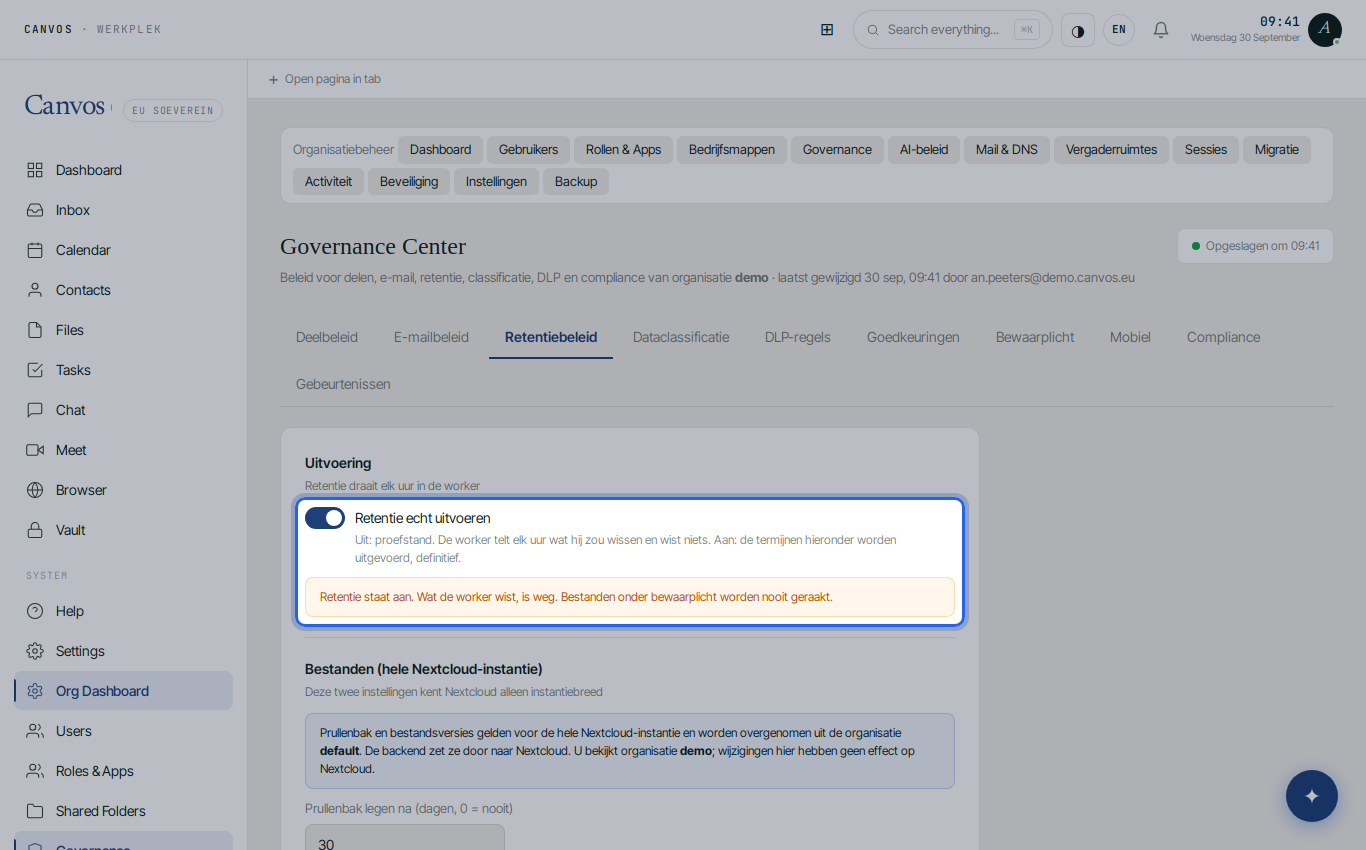
Click Retentiebeleid (retention policy). At the top you see the Uitvoering (execution) section with the most important switch on this page: as long as it is off, retention runs in trial mode and Canvos deletes nothing. Below are the periods, in days. Zero means keep forever.
Set the periods for files
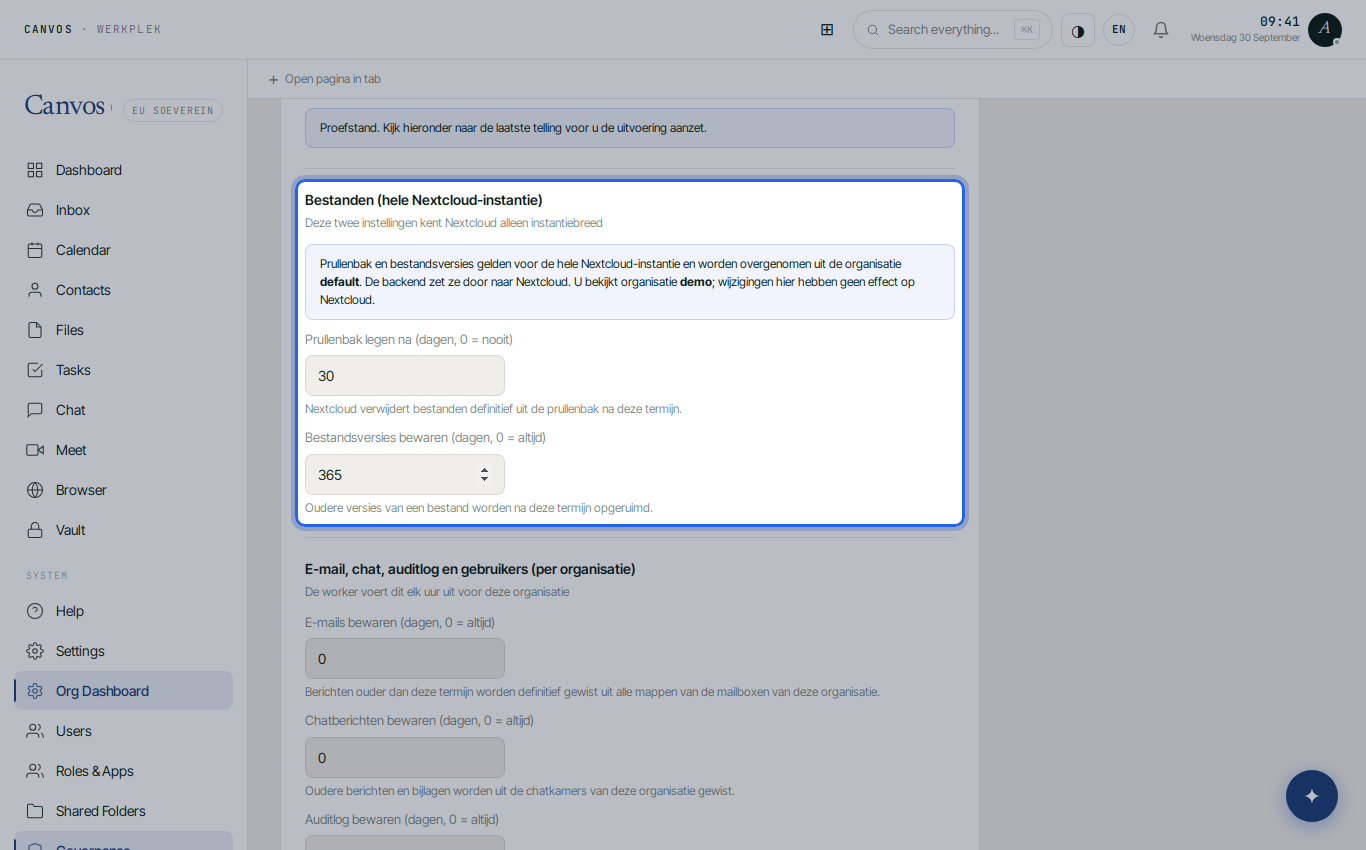
Under Bestanden (files) you find Prullenbak legen na (empty trash after, 30 days) and Bestandsversies bewaren (keep file versions, 365 days). Deleted files can then be restored for a month, and a year of version history stays available for every document. Note: Nextcloud only knows these two settings for the whole instance. Canvos takes them from the default organisation and pushes them to Nextcloud; in any other organisation they are informational, as the page states.
Keep email for seven years
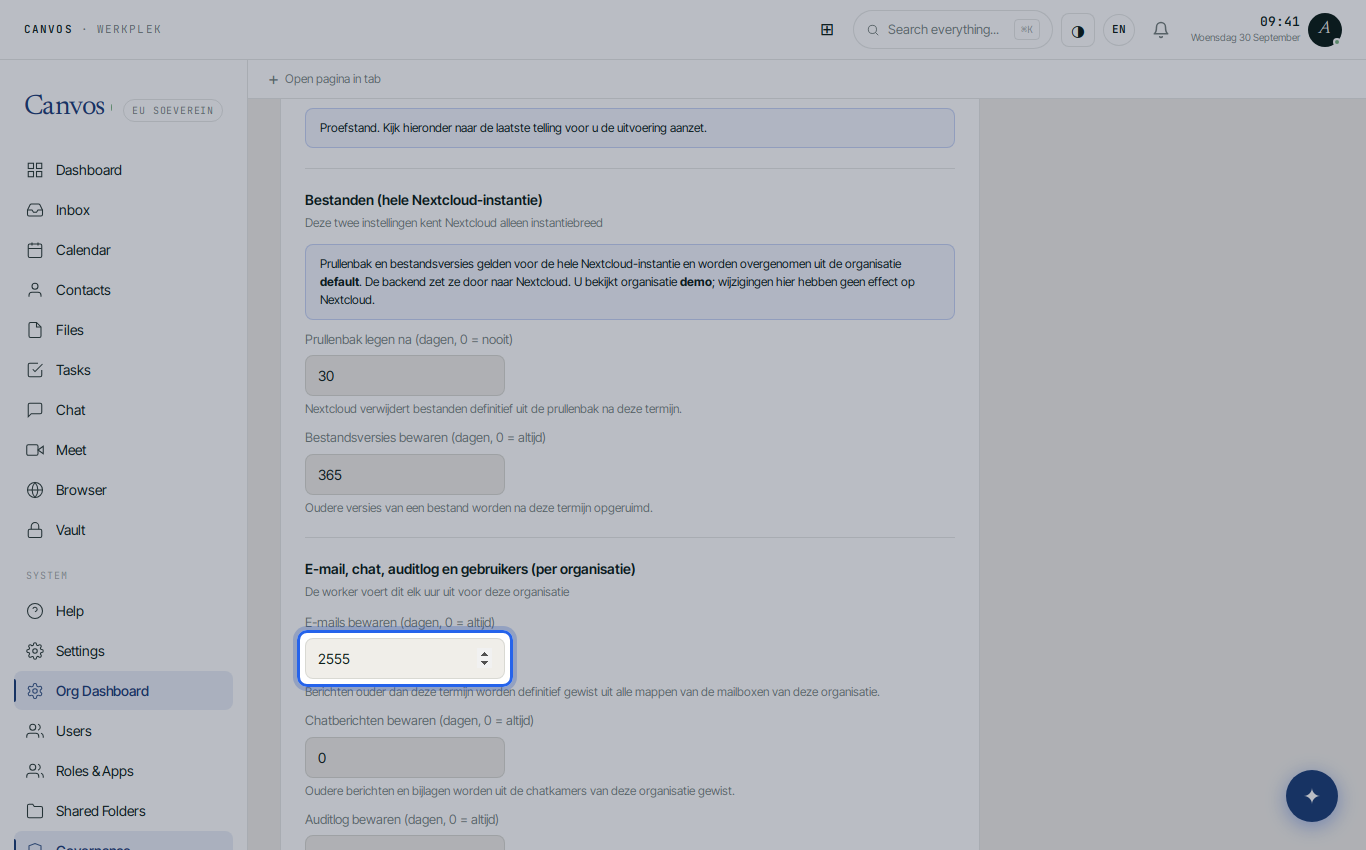
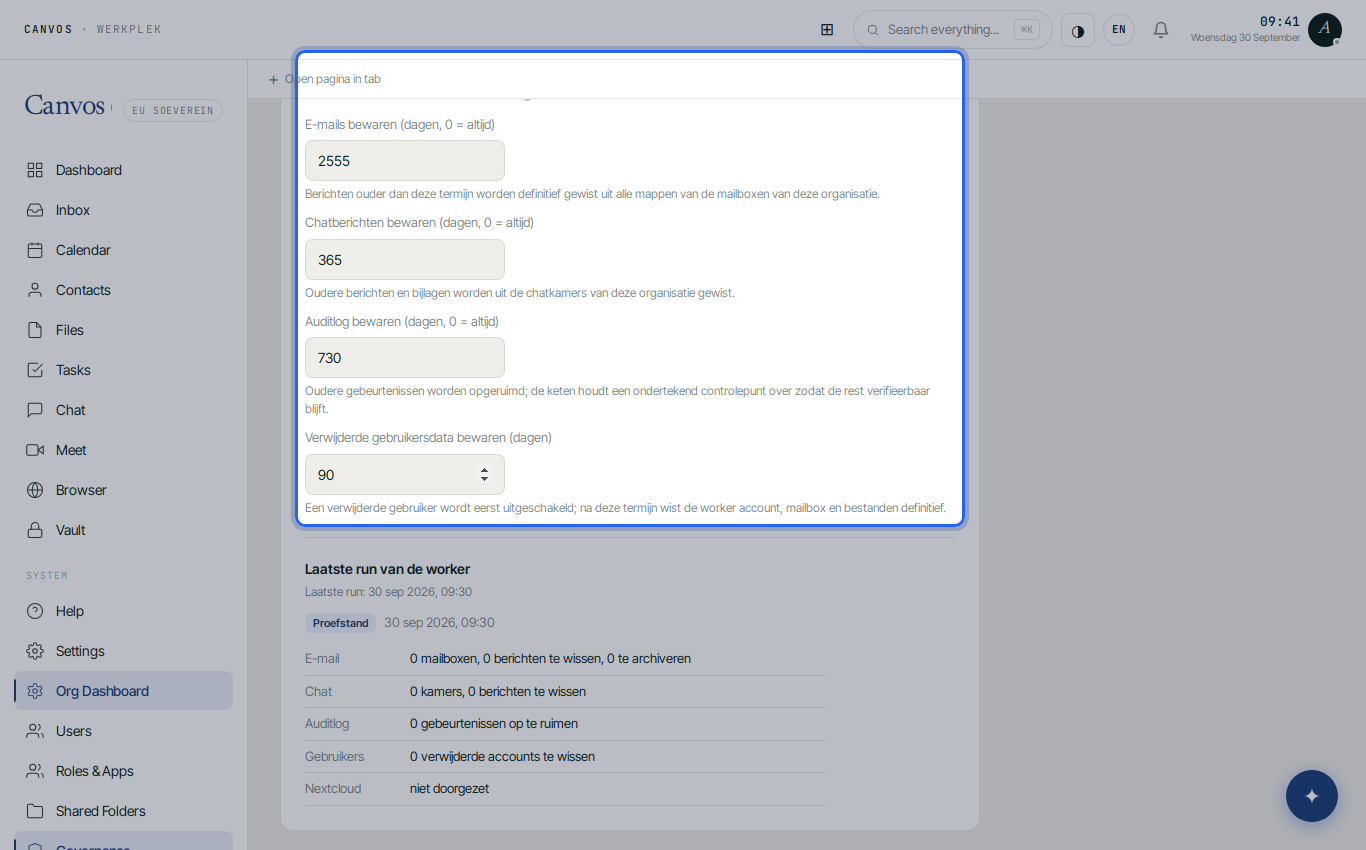
Set E-mails bewaren (keep emails) to 2555 days: seven years, the period accounting retention requires. Older email is then removed by the worker. To exclude specific mailboxes, place them under a legal hold in the Legal hold tab.
Set chat, audit log and departed employees
Set Chatberichten bewaren (keep chat messages) to 365 days, Auditlog bewaren (keep audit log) to 730 days and Verwijderde gebruikersdata bewaren (keep deleted user data) to 90 days. The log then stays available for two years of audits, chat conversations disappear after a year, and the data of an employee who left is cleaned up for good after three months.
Switch on execution
Scroll back up and switch on Retentie echt uitvoeren (actually run retention). Until then the worker only counts, every hour, what it would delete; now it applies the periods, for good. Feel free to start in trial mode: under Laatste run van de worker (last worker run) you see per category what it would remove, so you can adjust the periods before anything disappears.
Check the confirmation
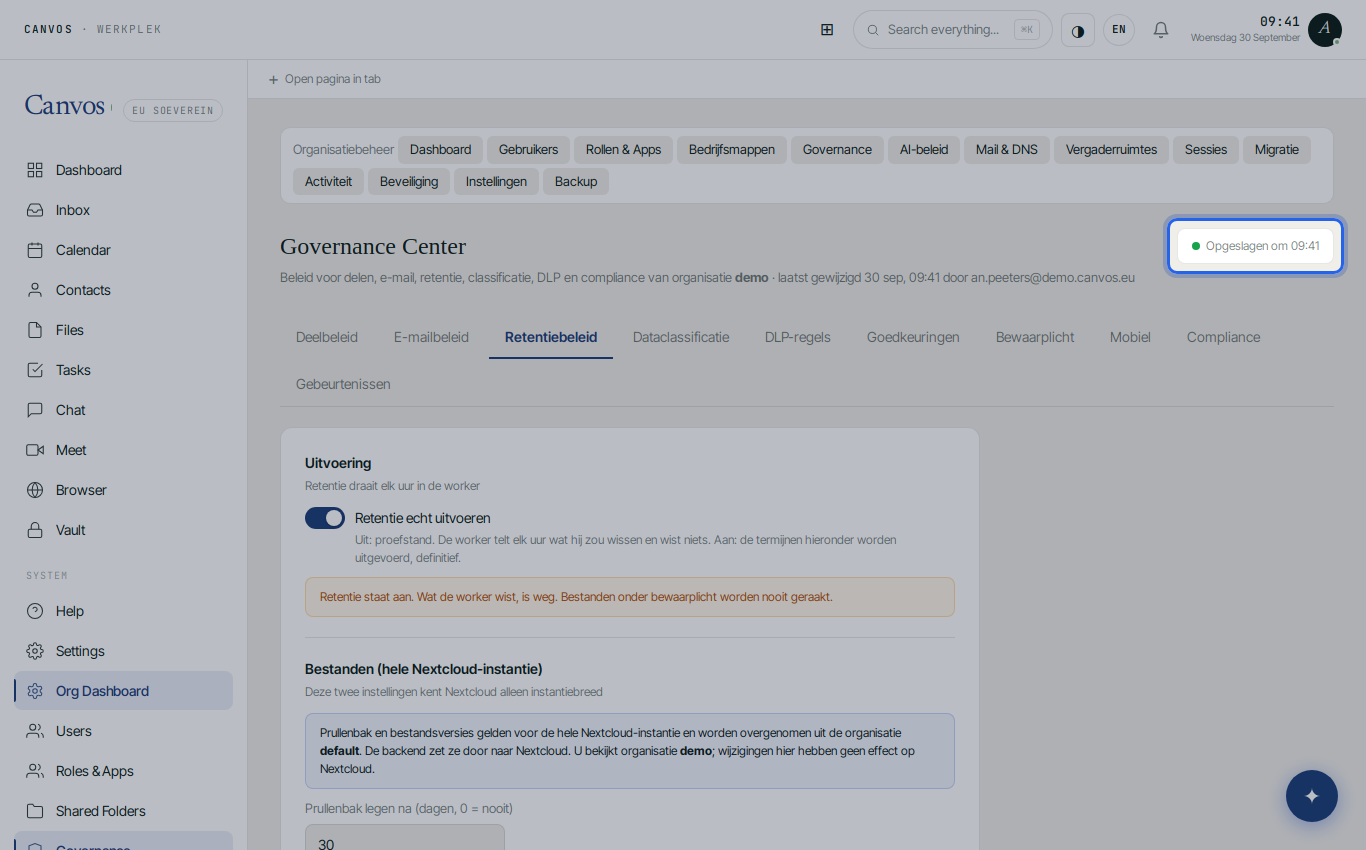
Canvos stores the policy automatically: top right you see Opgeslagen om (saved at) with a green dot. The worker applies the policy every hour, per organisation, and reports each run under Laatste run van de worker.
FAQFrequently asked questions
What about emails I must keep longer, such as an ongoing dispute?
Place a legal hold in the Legal hold tab. Everything under a legal hold is skipped by retention for as long as the hold lasts.
Is deletion by the worker final?
Yes. That is why execution is off by default and trial mode first shows what would disappear. Switch execution on only when the counts match what you expect.
Does the policy apply per organisation or platform-wide?
Email, chat, audit log and user data: per organisation. Trash and file versions: for the whole Nextcloud instance, because Nextcloud only knows those settings that way.
How often does the worker run?
Every hour. The last run is shown at the bottom of the tab, with the number of processed items per category.