Since NIS2 took effect in Belgium, many public entities are 'important' or 'essential' entities, with a registration duty at the Centre for Cybersecurity Belgium, an incident notification duty and a mandatory conformity assessment based on CyberFundamentals. The practical question for an administration without a large IT team is: how do we show at an audit that access, logging, backup and data protection are in order? In this guide An, responsible for a small administration, walks through the places in Canvos where those measures live and where the evidence comes from. Note: the administration screens are currently shown in Dutch; the captions translate every step.
Step by stepSeven steps
1. The compliance score as starting point 2. Access control: two-factor authentication 3. Detection: the login log 4. Recovery: encrypted backups 5. Reporting: evidence chain to your SIEM 6. Mobile policy 7. Retention according to archive law
The compliance score as starting point
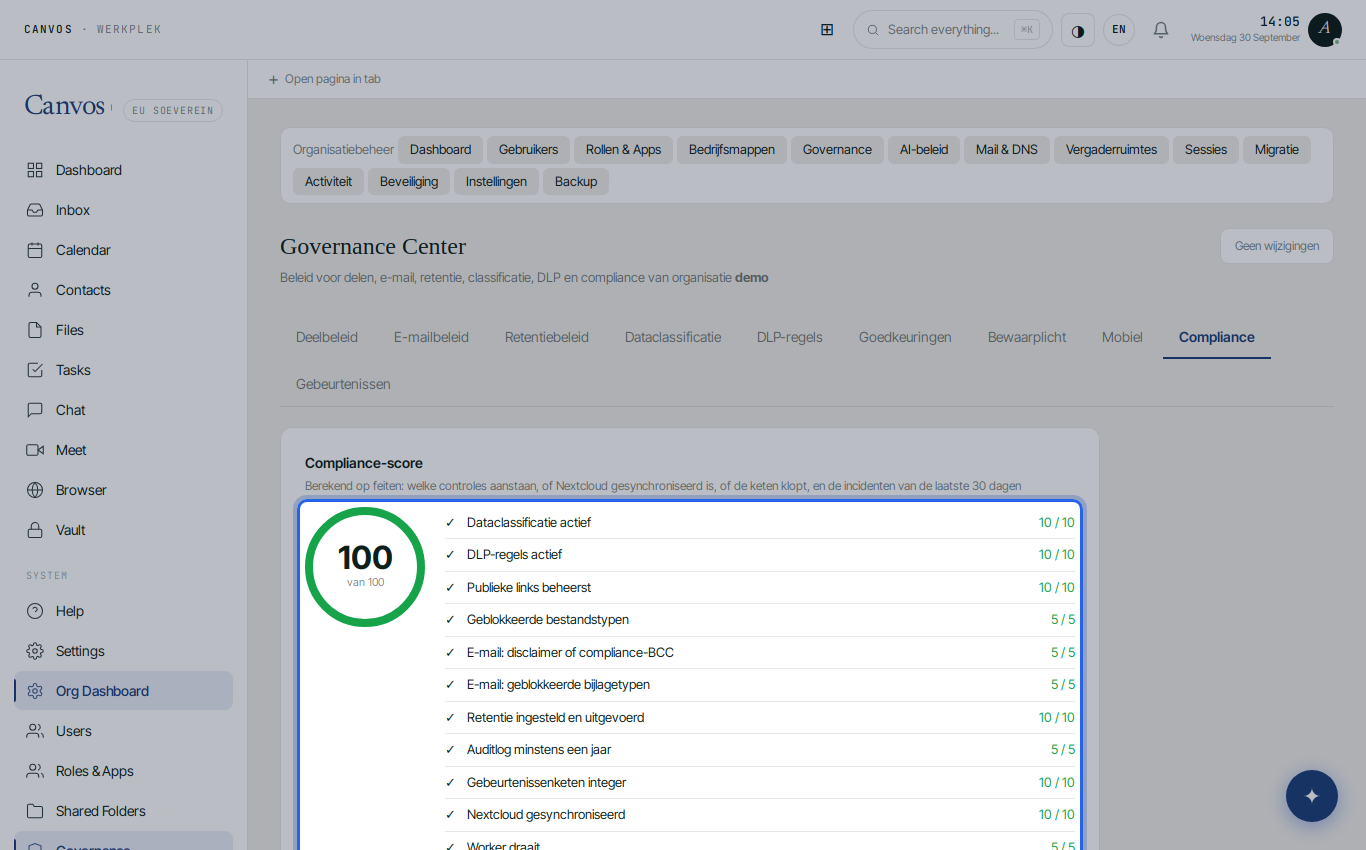
Open the Governance Center, tab Compliance. The score is computed from facts, control by control: data classification active, DLP rules, public links controlled, blocked file types, email policy, retention executed, audit log at least one year, chain intact, sync and worker healthy, alerts configured, mobile screen protection. Each control shows what is missing. This is your internal baseline for CyFun.
Access control: two-factor authentication
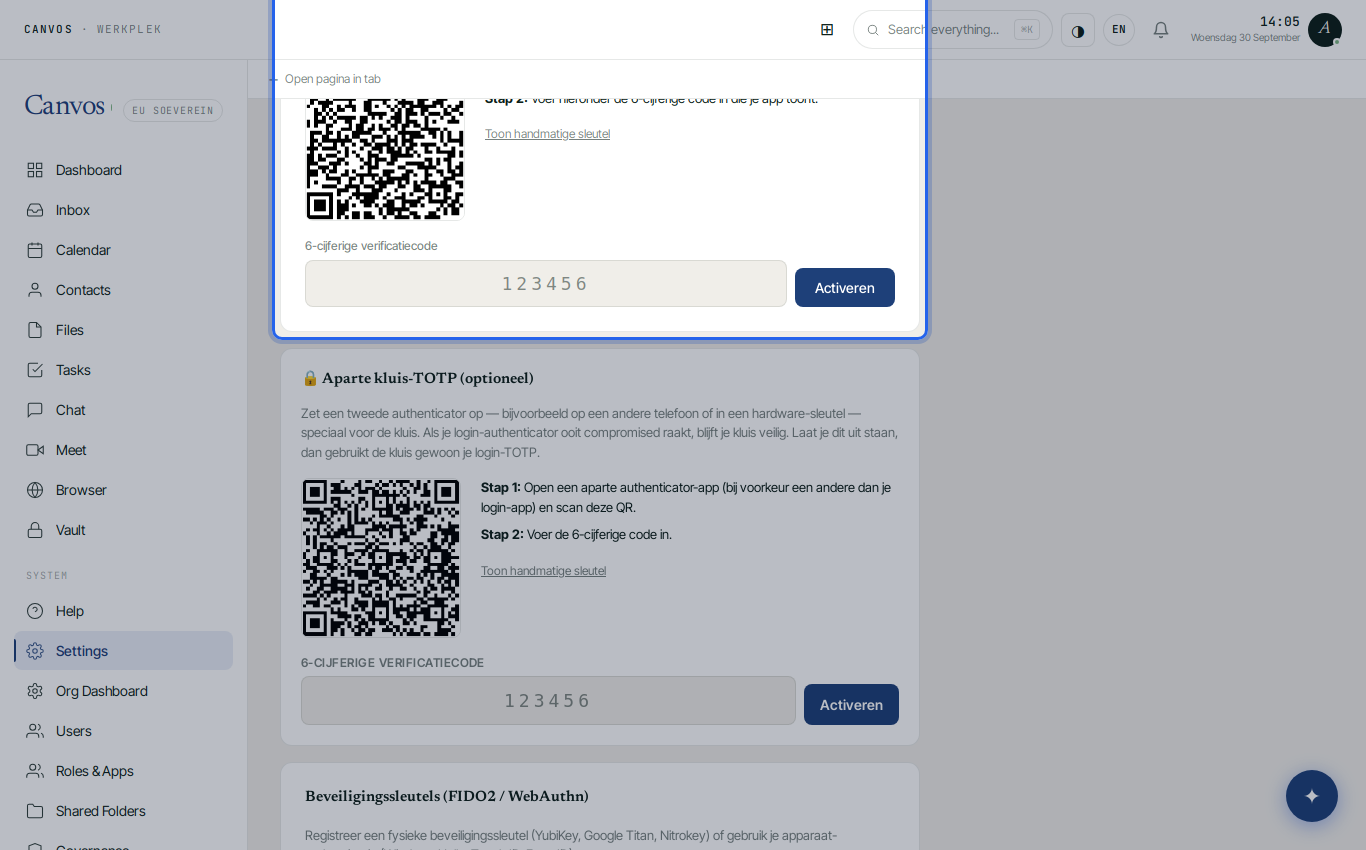
CyberFundamentals asks for strong authentication for access to systems. In Canvos every user activates an authenticator app or a hardware key (FIDO2) under Settings, tab 2FA. The secret stays on your own server; no external identity service is needed. See the two-factor guide for the steps.
Detection: the login log
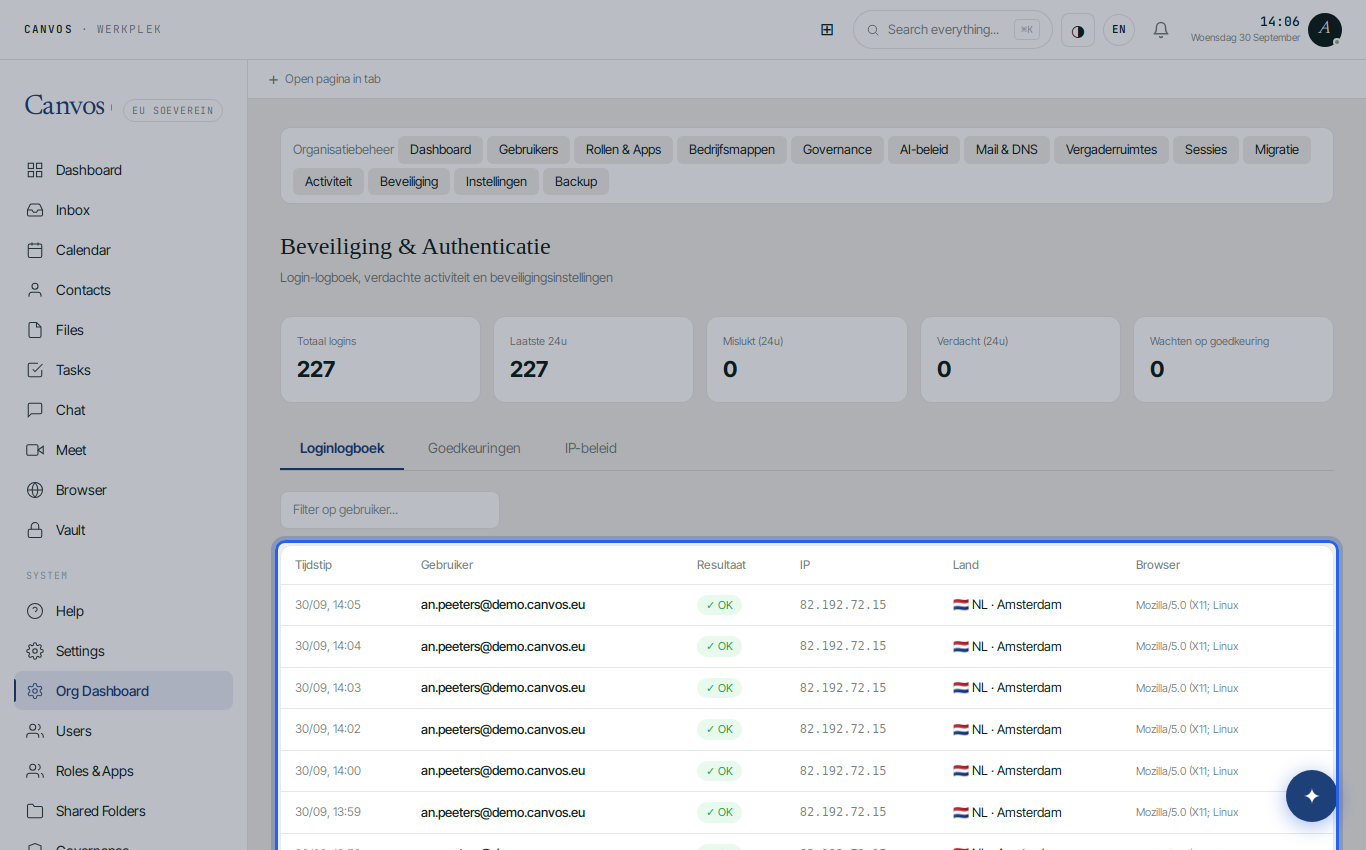
Under Beveiliging (security) every sign-in is listed with user, IP address, country, browser and result. Repeated failed attempts lead to a temporary lockout; a login from an unexpected country is flagged as suspicious and may require approval. This is the logging and monitoring NIS2 expects under 'incident handling', without a separate tool.
Recovery: encrypted backups
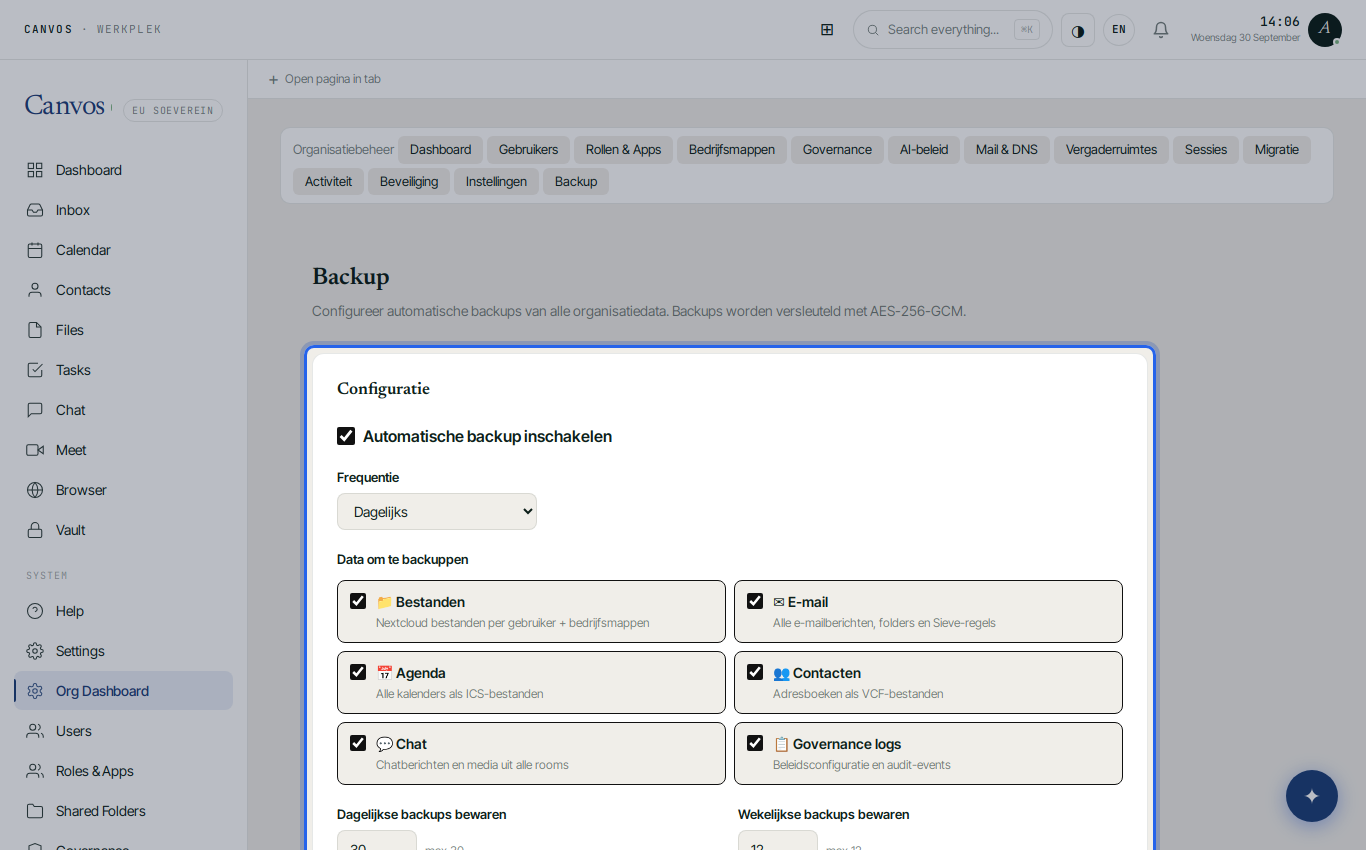
Under Backup you enable daily AES-256 encrypted backups of files, email, calendars, contacts, chat and the governance logs, with retention for daily and weekly copies. Only you know the key. You restore yourself, without a vendor: that is the business continuity the framework asks for, and which you must also be able to test.
Reporting: evidence chain to your SIEM
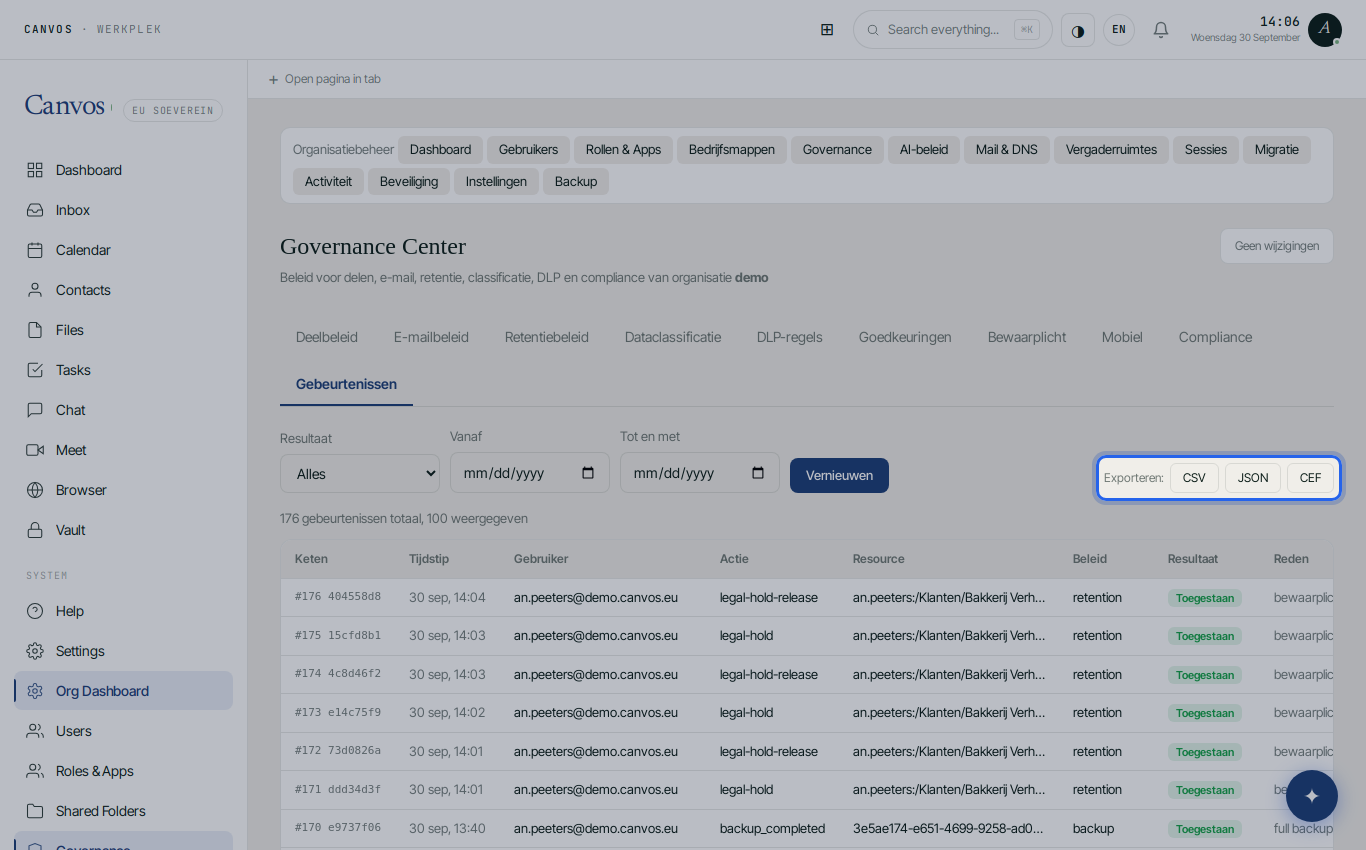
Under Gebeurtenissen (events) is every policy action, hash-chained and anchored daily. Export as CEF for your SIEM or that of your inter-municipal body, or as CSV and JSON for the auditor or the CCB. In an incident you reconstruct in minutes who did what, which NIS2 expects within 24 hours for the early warning and within 72 hours for the notification.
Mobile policy
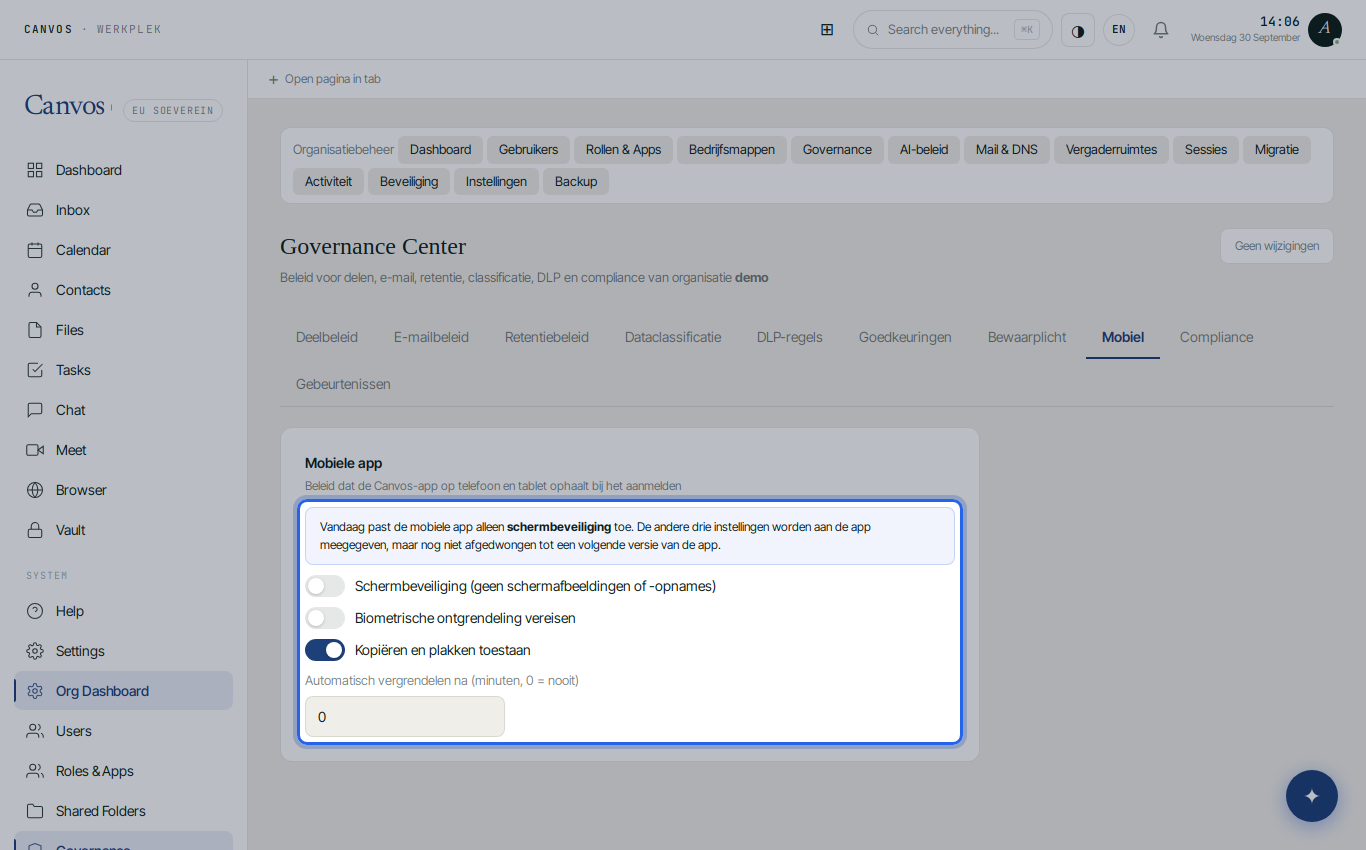
Under Mobiel (mobile) you define what the Canvos app does on employees' phones and tablets. Today screen protection is enforced: no screenshots or screen recordings of your data. Biometric unlock, copy-and-paste restriction and automatic locking are already passed to the app and will be enforced in a next version of the app. The policy is fetched at sign-in and also applies on private devices.
Retention according to archive law
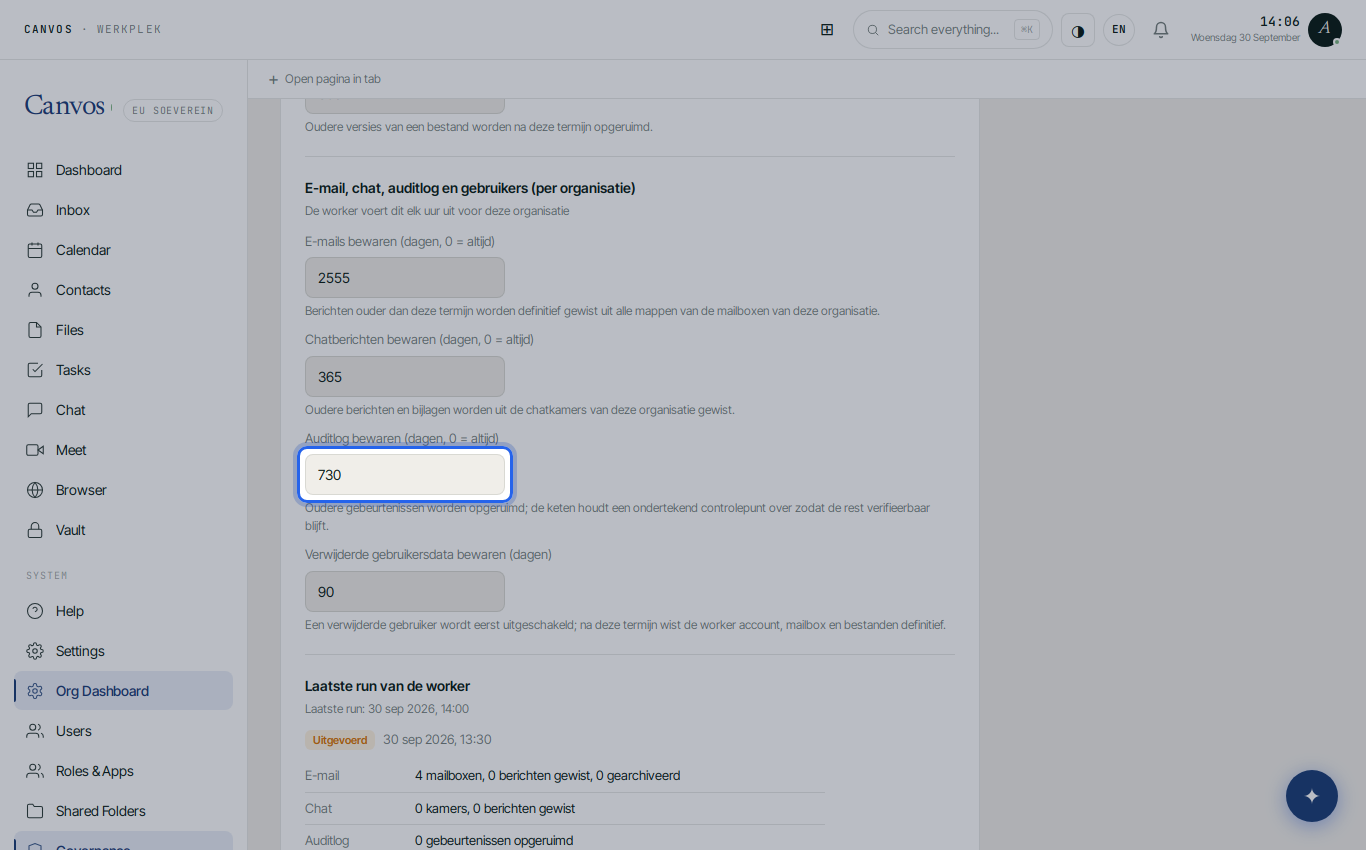
Under Retentiebeleid (retention policy) you set how long email, recycle bin, versions and the audit log are kept. For public bodies the archive decree and selection lists apply; keep the audit log at least one year, preferably two, so last year's incident can still be reconstructed. Retention runs automatically and is itself logged.
FAQFrequently asked questions
Does Canvos replace a CyberFundamentals certification?
No. CyFun Basic, Important and Essential are frameworks with a self-assessment or verification by an accredited body. Canvos covers a large part of the technical measures for your office environment and delivers the evidence; policy, awareness and the rest of your IT landscape remain your responsibility.
How does this help with the 24 and 72 hour notification duty?
The evidence chain and the login log give you the facts within minutes: which accounts, which files, which actions. That is exactly what you need for the early warning within 24 hours and the incident notification within 72 hours to the CCB.
Can our inter-municipal body or IT partner collect the logs centrally?
Yes. The CEF export connects to common SIEM solutions. Real-time alerts and the monthly report go to the addresses you set, also outside your organisation.
Where is the data?
On infrastructure in Europe, managed by Canvos from Belgium, without a US parent company. There is no route through which a foreign government can force access via the CLOUD Act.
Is this also suitable for a small welfare office or a school?
Yes. The measures are on by default and require no own servers or security specialist. The guide for SMEs without an IT department shows the same workplace from that perspective.