Everyone knows it: quote_v3_final_REALLY.docx in an email chain, and nobody knows which one is the latest. In Canvos that problem does not exist. You create documents, spreadsheets and presentations in Files, in open formats; you edit them in Euro-Office, a full office suite that opens inside your workplace; and you work with colleagues in the same file at the same time, with each other's cursor in view. All on your own server in Europe, with version history and under your organisation's policy.
Step by stepFive steps
1. A new document 2. Euro-Office opens inside your workplace 3. Type and format 4. Share with a colleague 5. Work in the same text at the same time
A new document
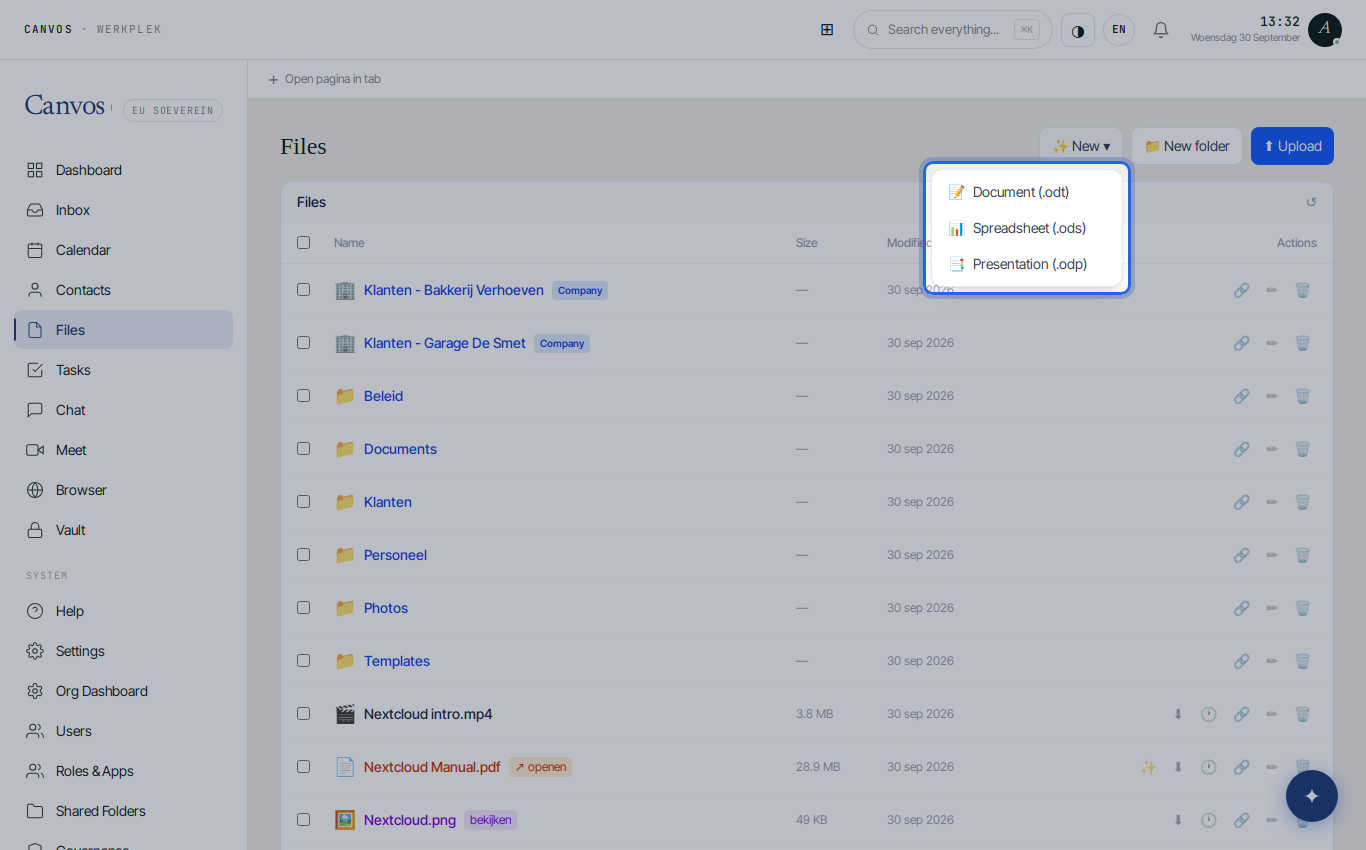
In Files click ✨ Nieuw ▾ (new) and choose Document (.odt), Spreadsheet (.ods) or Presentatie (.odp). These are open formats (OpenDocument) that Word, Excel and LibreOffice open too. Name the file and press Enter.
Euro-Office opens inside your workplace
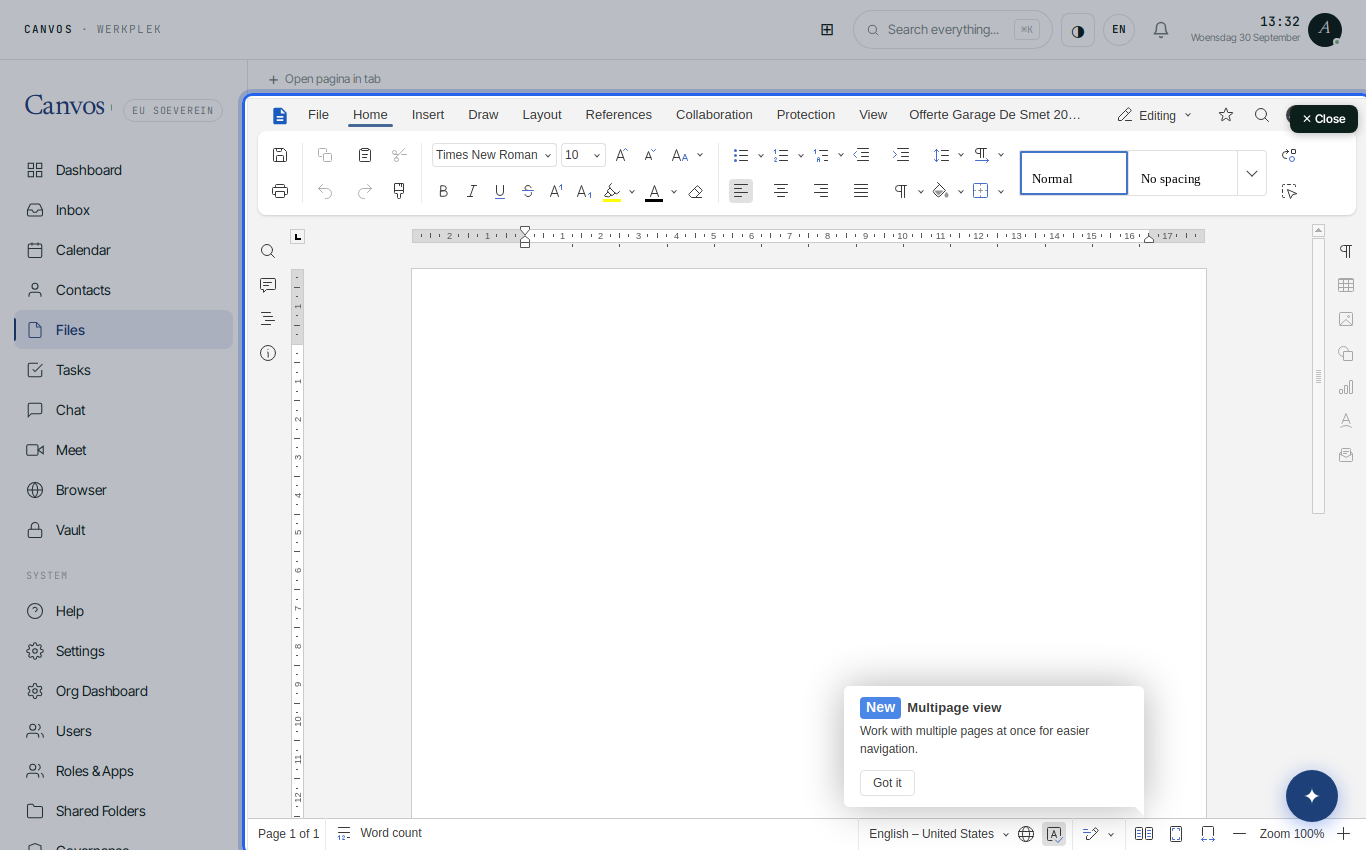
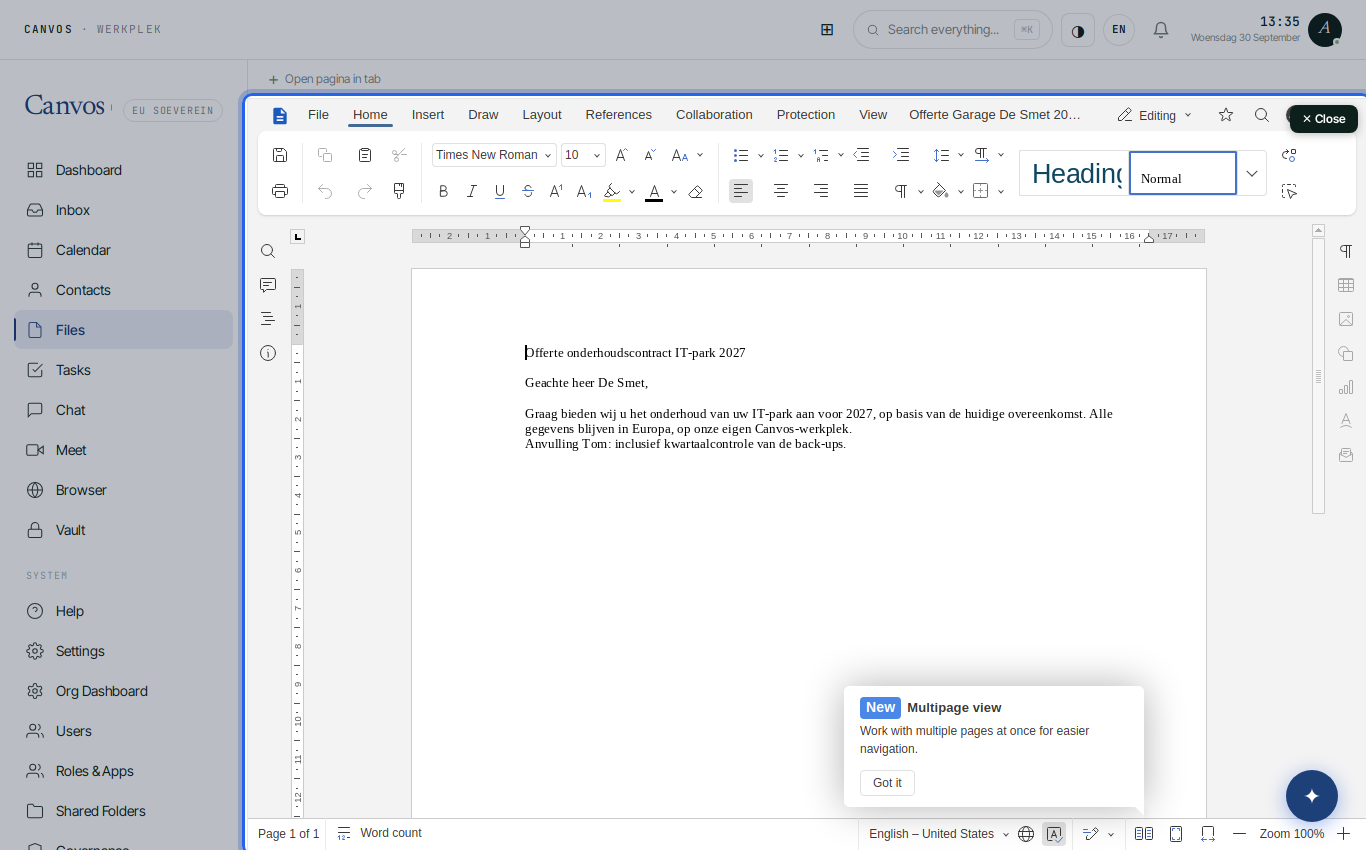
The document opens immediately in Euro-Office: a full word processor with formatting, tables, images, references and protection options, without installation and without the file leaving your server. Sluiten (close) at the top right takes you back to Files.
Type and format
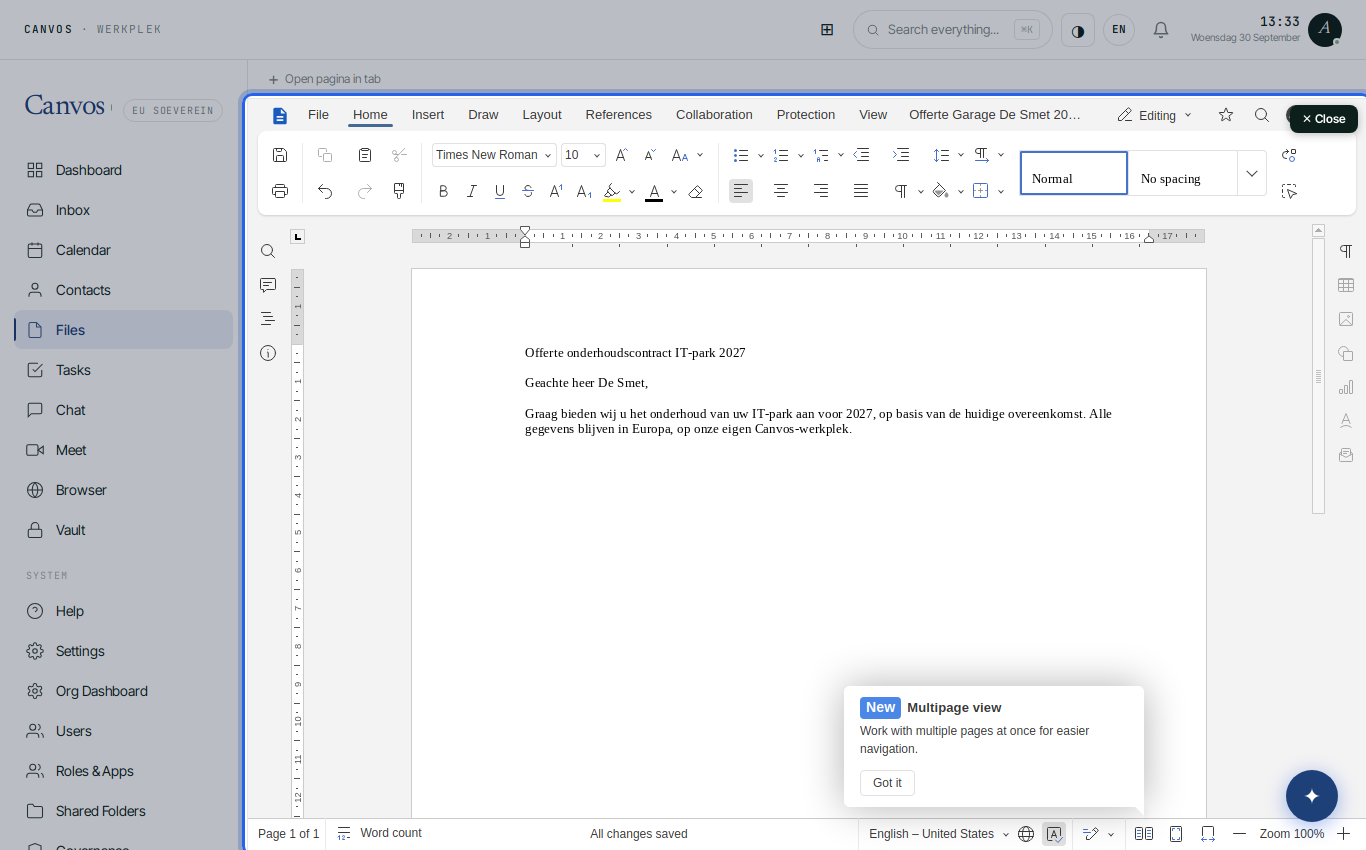
Work as you are used to. Every change is saved automatically; at the bottom it says Alle wijzigingen zijn opgeslagen (all changes saved). In Files, 🕐 opens the version history, to view or restore an earlier version.
Share with a colleague
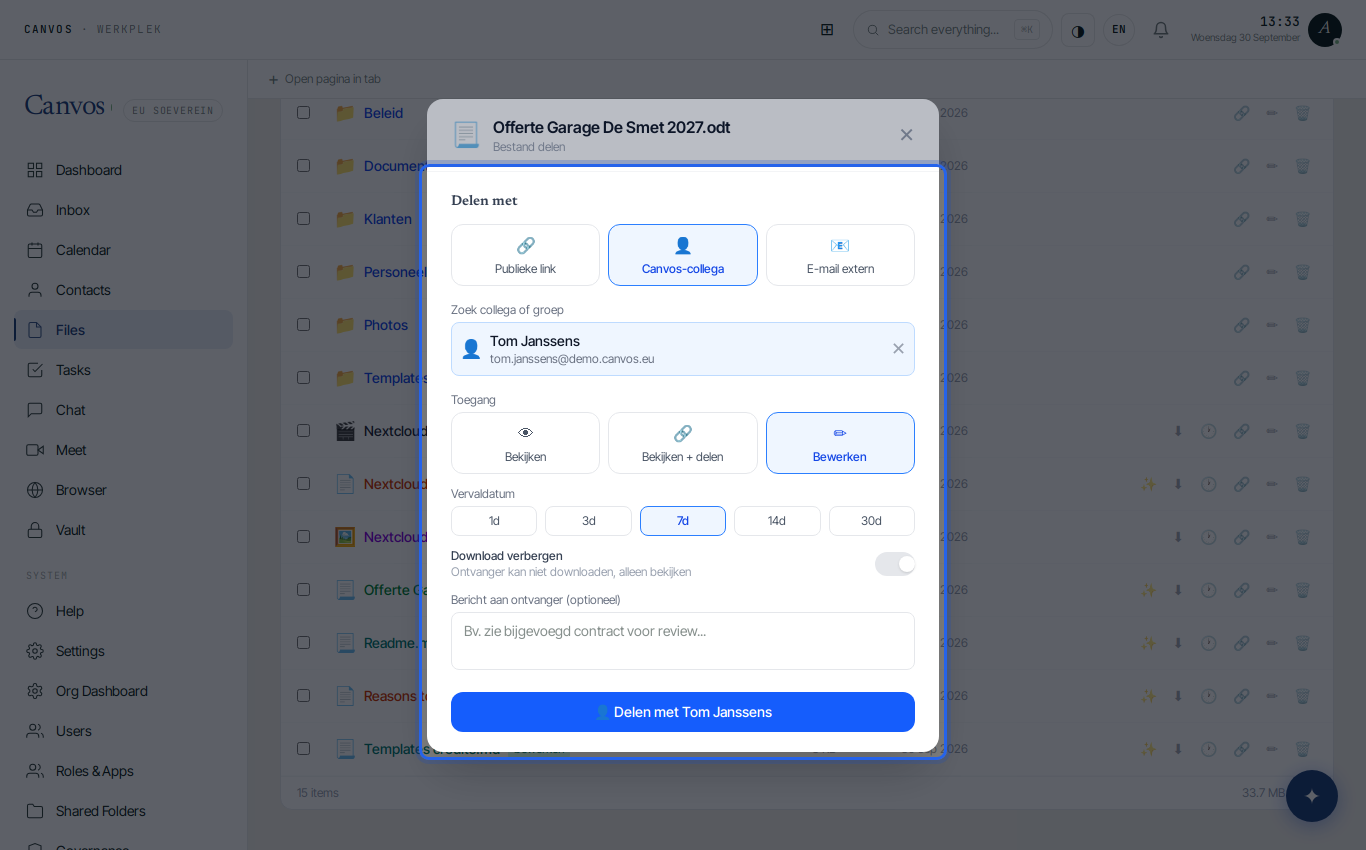
Back in Files click 🔗 next to the document, choose Canvos-collega (Canvos colleague), search the colleague and give Bewerken (edit) as access. The document appears in the colleague's folder; no copy is made.
Work in the same text at the same time
If your colleague opens the document while you are working in it, you see each other's cursor and changes live, with a colour per person. No more versions, no merging afterwards: there is one document, and it is always the latest.
FAQFrequently asked questions
Can I also open Word and Excel files?
Yes. Euro-Office opens and edits .docx, .xlsx and .pptx. New files are created in open formats; saving as Microsoft format is possible via File, Save as.
What happens when two people edit the same sentence?
Euro-Office merges changes per character and shows a colour per person. In the rare conflicts you see both versions and choose.
Does the document stay on our server?
Yes. Euro-Office runs on the Canvos infrastructure in Europe; the file does not leave your environment, not even while editing.
Can I share a document with someone outside the company?
Yes, through a public link with password and expiry date, within what the sharing policy and the document's label allow. See the guide on secure sharing.